Easy Retail Flow › Administration › Roles
¶ Roles & Permissions Guide
Define granular access control and security permissions to protect organizational data and workflows.
¶ 1. Roles Overview
The Roles & Permissions module allows you to create security profiles that can be assigned to system users. This ensures that employees only have access to the specific modules and actions required for their role. Access this via Administration › Roles.
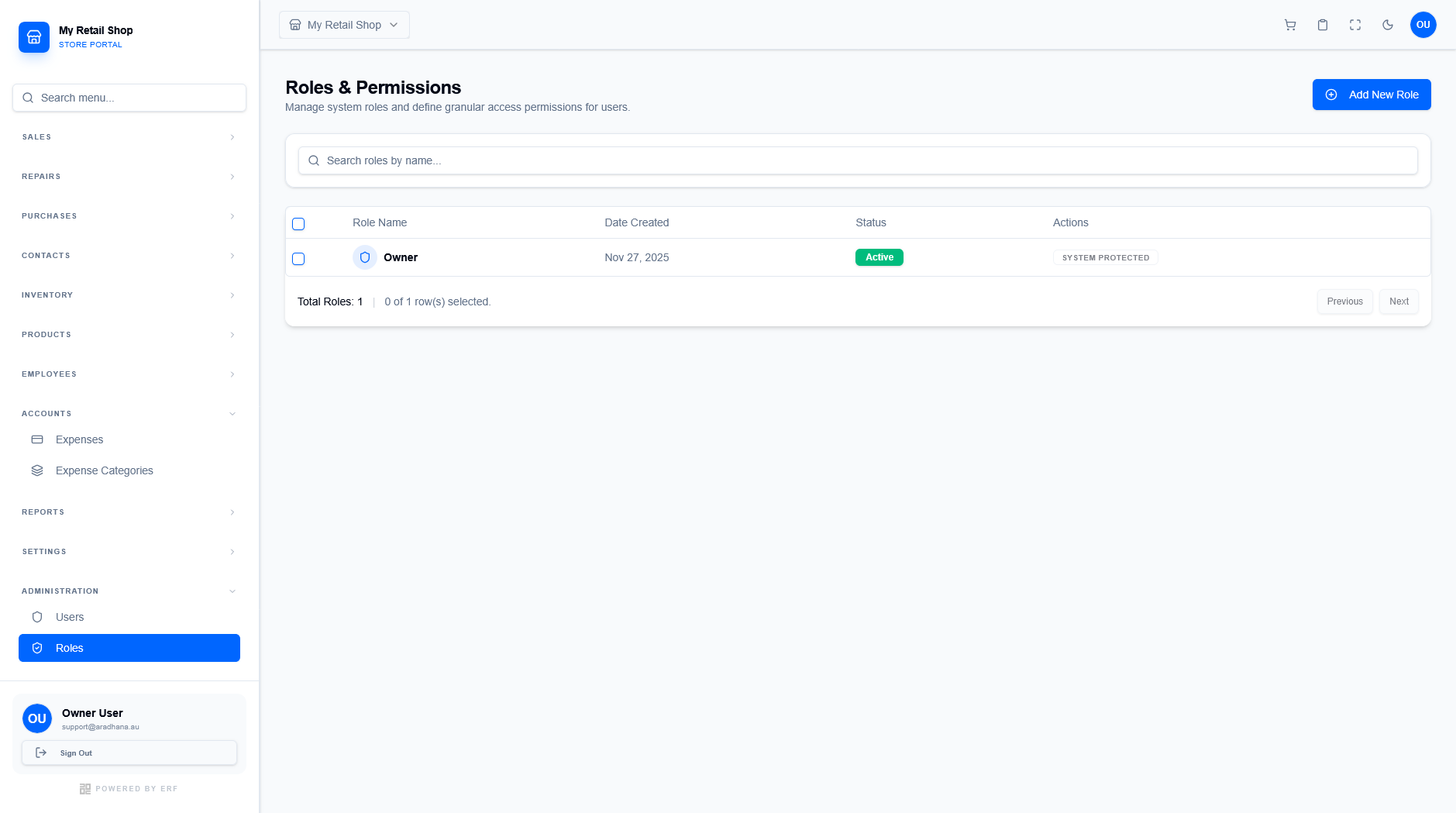
Figure 1 — The main roles management repository.
¶ 1.1 System Protection
Certain critical roles, such as the Owner role, are flagged as SYSTEM PROTECTED. These roles cannot be deleted or have their core permissions modified, ensuring the fundamental system integrity remains intact.
¶ 2. Creating and Configuring Roles
To create a custom permission set, click the blue + Add New Role button. This opens the granular permission configuration screen.
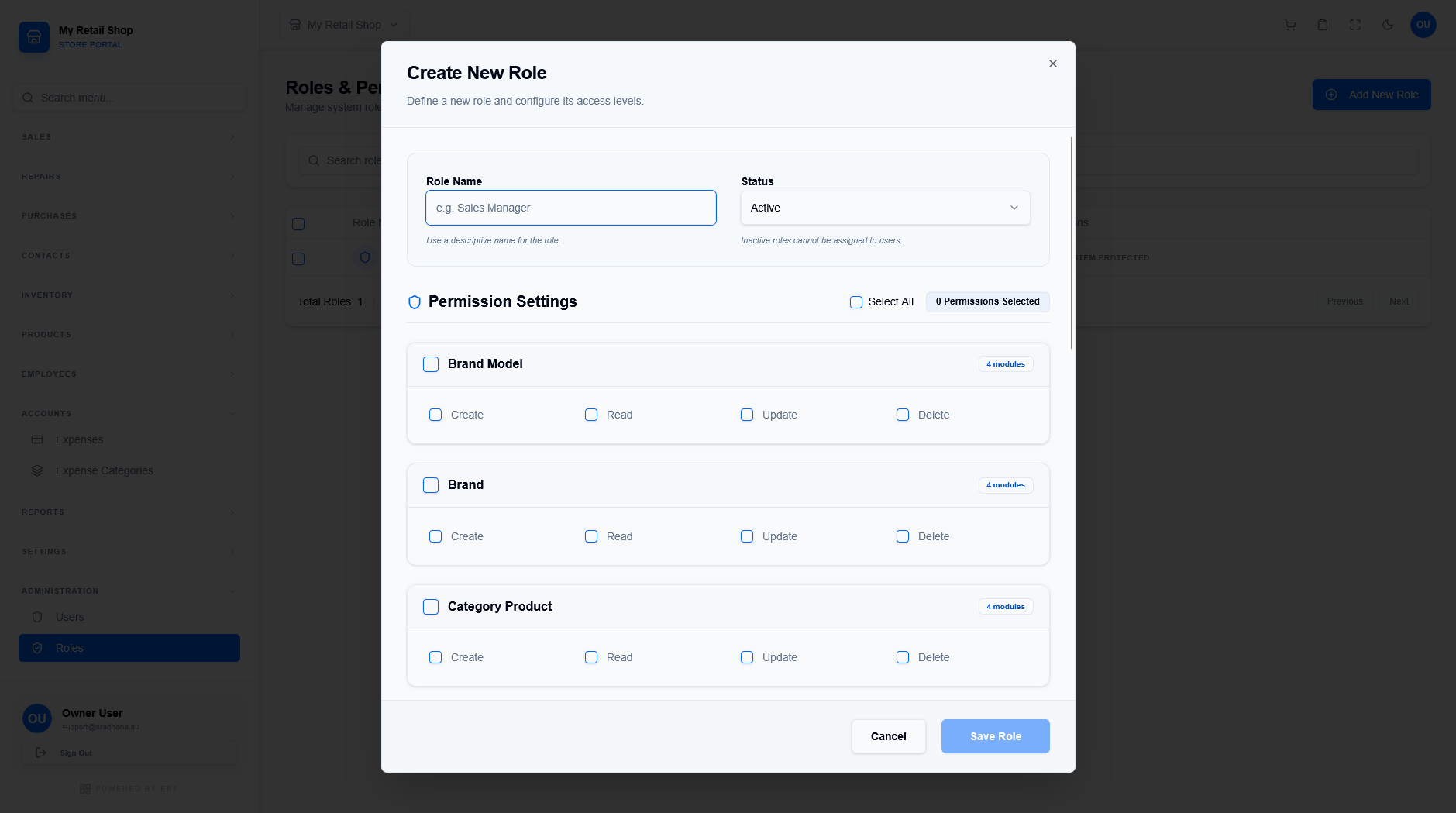
Figure 2 — The granular permission configuration screen.
¶ 2.1 CRUD Permission Levels
Permissions are assigned using the standard CRUD (Create, Read, Update, Delete) model across all system modules:
- Create: Ability to add new records to a module.
- Read: Permission to view existing data and lists.
- Update: Authorization to modify existing records.
- Delete: Permission to permanently remove records from the system.