Easy Retail Flow › Administration › Users
¶ System Administrators Guide
Manage user accounts, link credentials to employees, and assign security roles for system access.
¶ 1. System Administrators Overview
The Users module (labeled as System Administrators) is where you control who has access to the Easy Retail Flow portal. It bridges the gap between physical employees and their digital credentials. Access this by selecting Administration › Users from the sidebar.
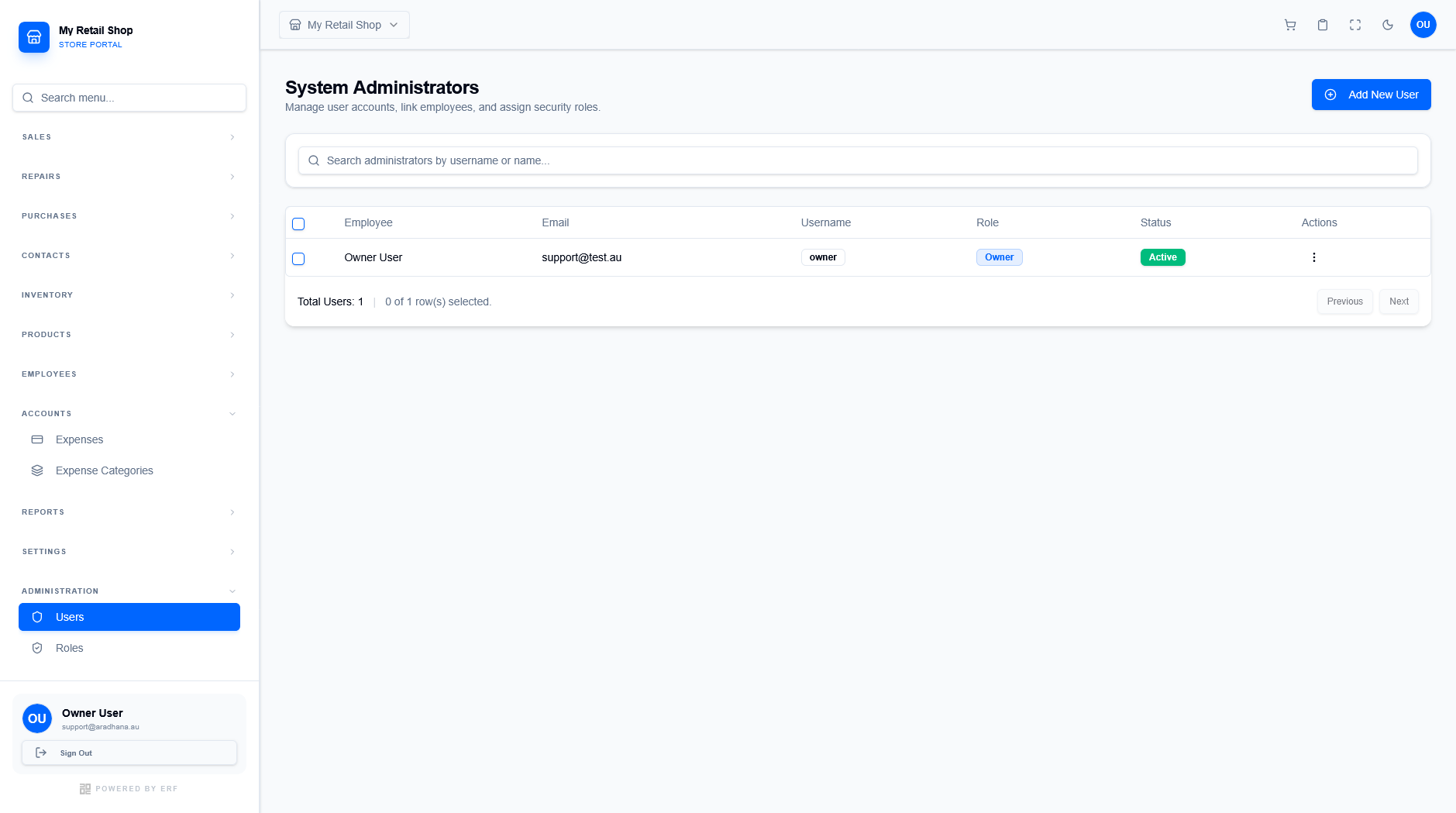
Figure 1 — The main user management repository.
¶ 1.1 User Attributes
The table provides key information about each system user:
- Employee: The linked person from the Employee directory.
- Username: The unique ID used for logging in.
- Role: The security permission set assigned to the user (e.g., Owner, Manager, Staff).
- Status: Indicates if the account is Active and able to log in.
¶ 2. Creating a New User
To grant system access to an employee, click the blue + Add New User button. This opens the user creation workflow.
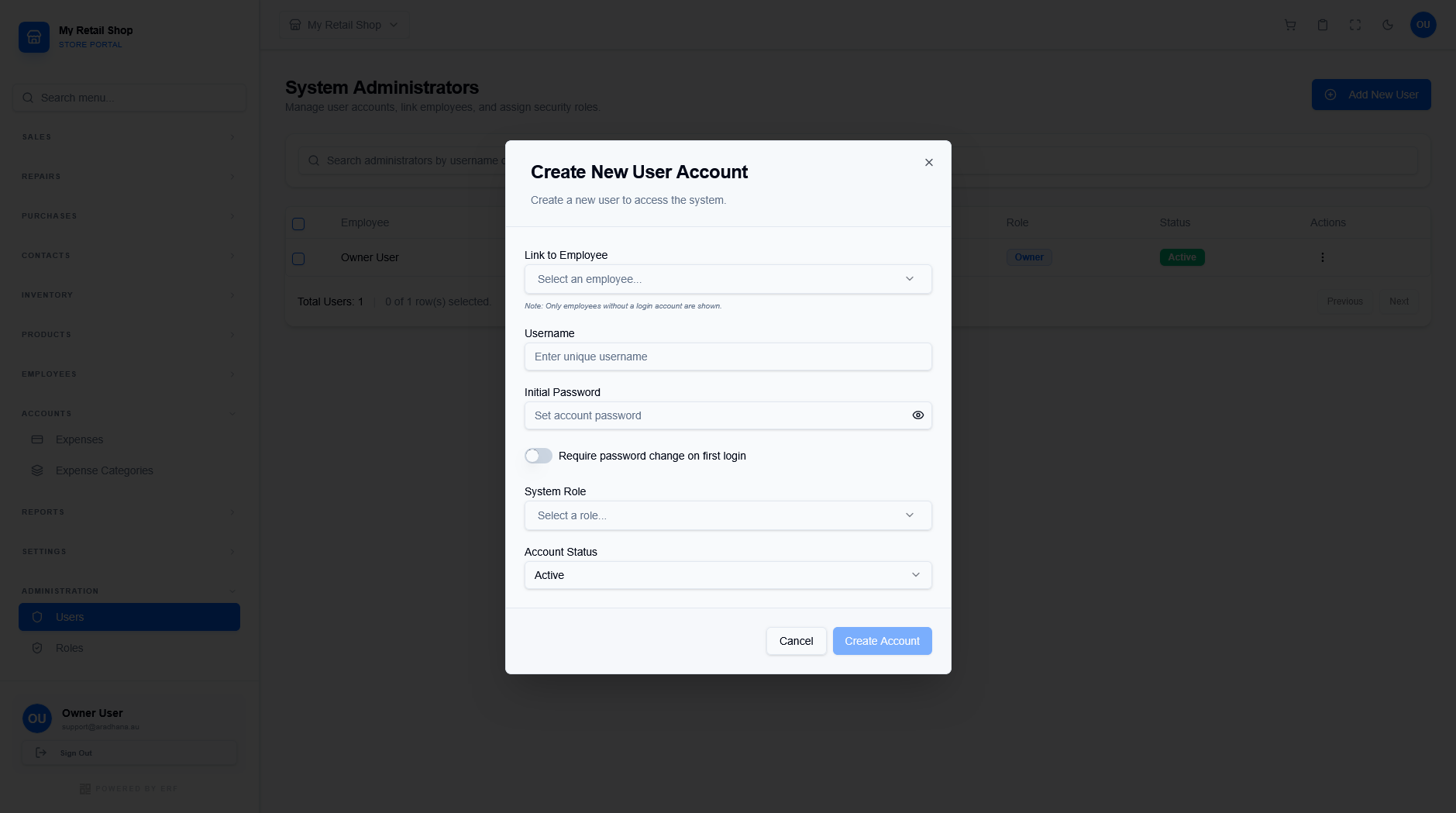
Figure 2 — The user account configuration screen.
¶ 2.1 Configuration Steps
| Field | Description |
|---|---|
| Link to Employee | Select an existing employee. Note that only employees who do not yet have a login account will appear in this list. |
| Credentials | Define a unique Username and an Initial Password. |
| Security Toggle | Enable Require password change on first login to ensure the user sets their own private credential immediately. |
| Role & Status | Assign a System Role for permissions and set the Account Status to Active. |
Important Security Note: Always follow the principle of least privilege. Assign the most restrictive role that still allows the user to perform their daily tasks.
© 2026 Easy Retail Flow