Easy Retail Flow › Contacts › Customer Groups
¶ Customer Groups Guide
Segment your clientele to apply automated pricing tiers, manage wholesale relationships, and track group performance.
¶ 1. Group Management Overview
Customer Groups allow you to categorize customers (e.g., General, Wholesale, VIP) for specialized handling across the POS and Sales modules. Access this via Contacts › Customer Groups.
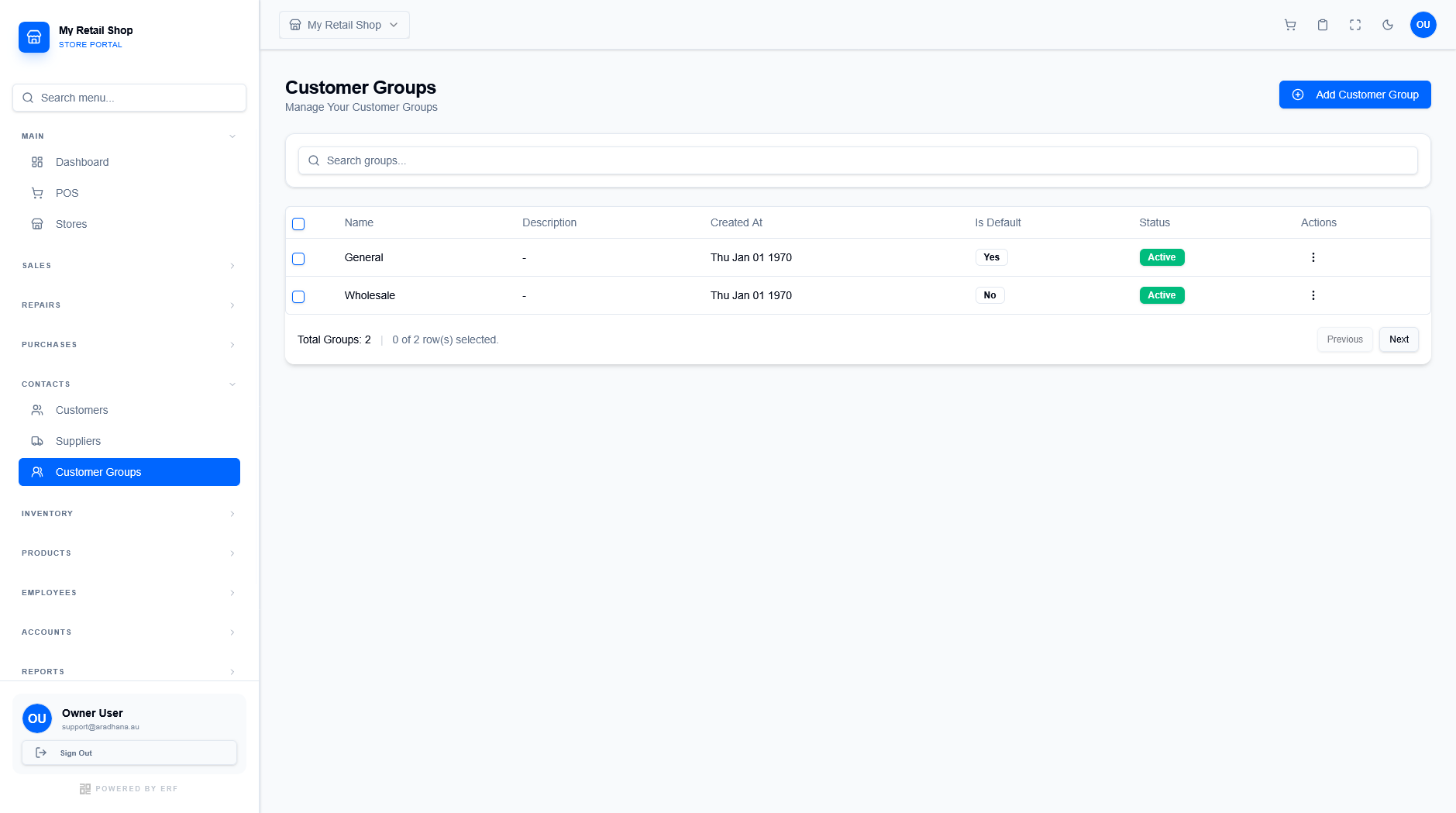
Figure 1 — The main repository for customer segments.
¶ 1.1 Key Attributes
The groups table tracks several important system behaviors:
- Is Default: Indicates which group new customers join automatically if no other group is selected during registration.
- Created At: The system timestamp for when the segment was initialized.
- Status: Use Active to keep the group selectable, or Inactive to archive old segments without deleting historical data.
- Actions: Use the three-dot menu to edit group names or update their default status.
¶ 2. Creating a New Customer Group
Click the + Add Customer Group button to open the creation modal. This simple interface configures how the system treats members of the group.
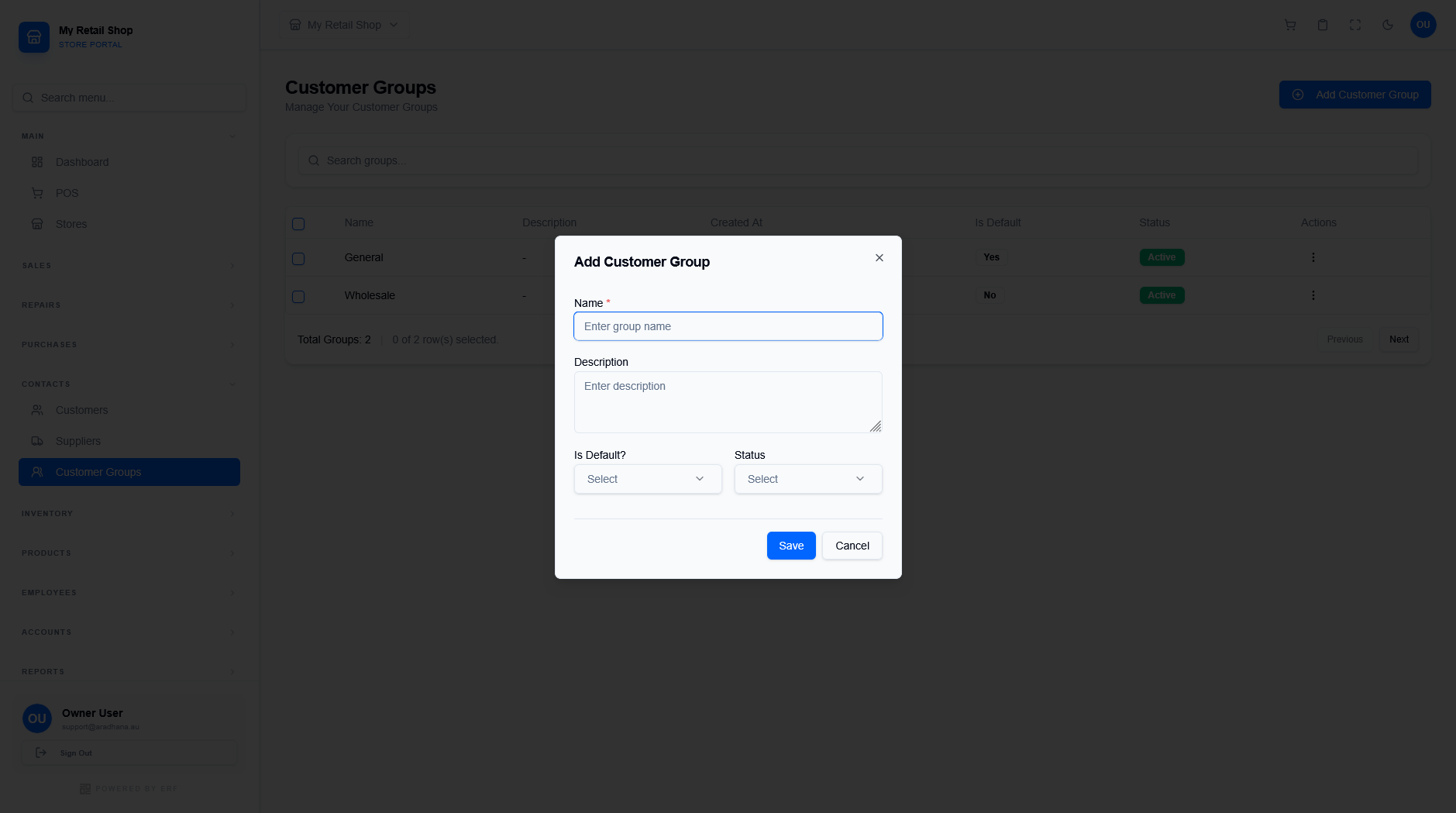
Figure 2 — Configuration modal for new customer segments.
¶ 2.1 Configuration Fields
| Field | Required / Optional | Description |
|---|---|---|
| Name | Required (*) | A descriptive name for the group (e.g., "Wholesale Partners"). |
| Description | Optional | Internal notes about the group's purpose or specific qualification criteria. |
| Is Default? | Required | Set to "Yes" to make this the primary group for new walk-in or web registrations. |
| Status | Required | Toggle between "Active" and "Inactive". |
Important Note: Only one Customer Group can be set as the Default at any given time. Setting a new group as the default will automatically update the previous default group to "No".
© 2026 Easy Retail Flow