Easy Retail Flow › Contacts › Suppliers
¶ Suppliers Guide
Manage your vendor relationships, streamline procurement, and maintain accurate contact records for all suppliers.
¶ 1. Supplier List Overview
The Supplier List serves as a central hub for all business-to-business vendor relationships. Access this via Contacts › Suppliers.
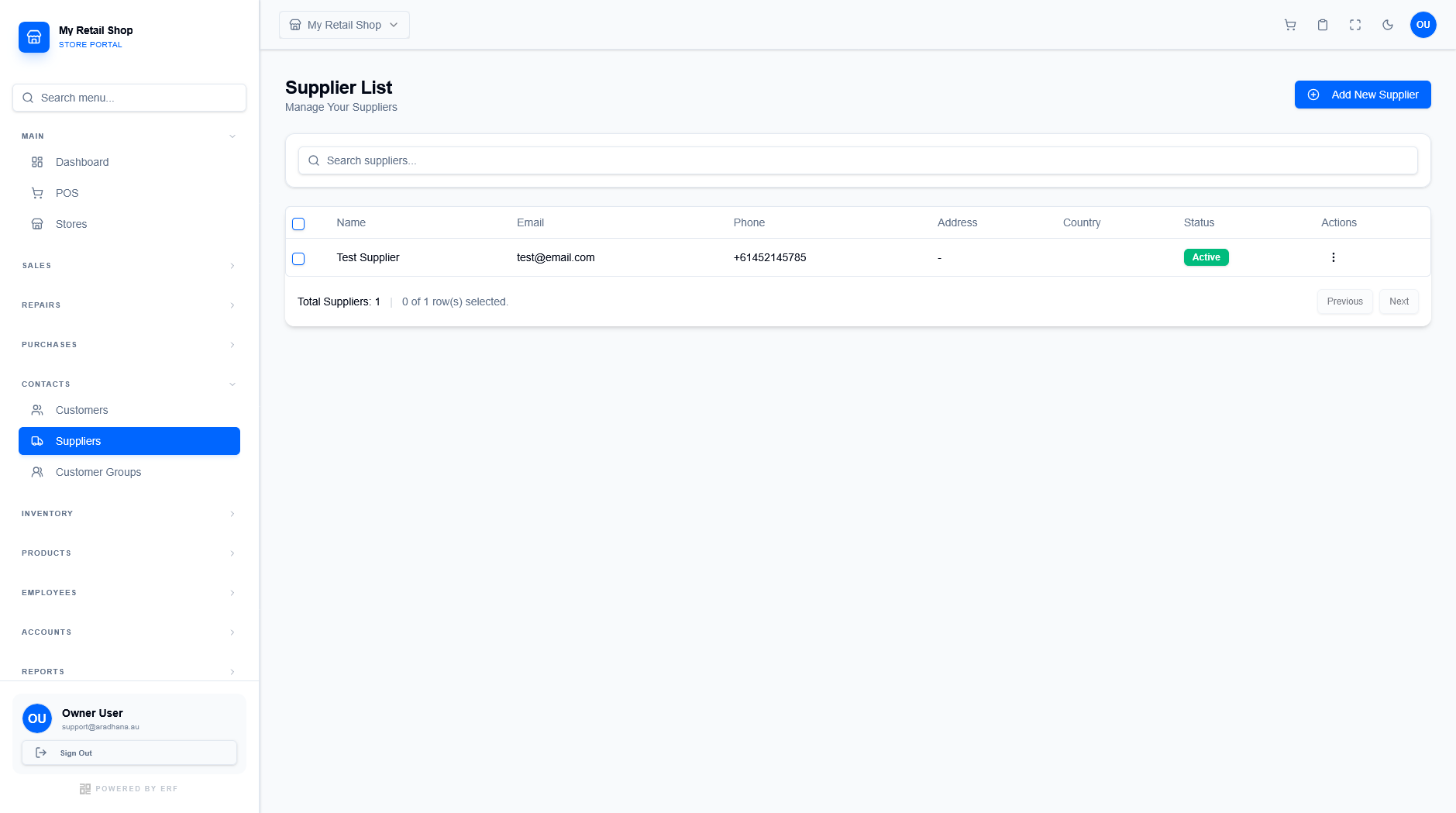
Figure 1 — The supplier management dashboard showing all current vendors.
¶ 1.1 Dashboard Features
The supplier table provides high-level visibility into your supply chain:
- Contact Tracking: View Email and Phone details for quick communication.
- Geographic Context: See the primary Country and Address for logistics planning.
- Status Monitoring: Suppliers are marked as Active or Inactive to control selection in purchase orders.
- Selection Tools: Use the checkboxes to perform bulk actions or individual management.
¶ 2. Adding a New Supplier
To add a new vendor, click the + Add New Supplier button in the top right. The interface is split into two primary configuration tabs.
¶ 2.1 General Information
This tab captures the core identity of the supplier. Fields marked with an asterisk (*) are mandatory.
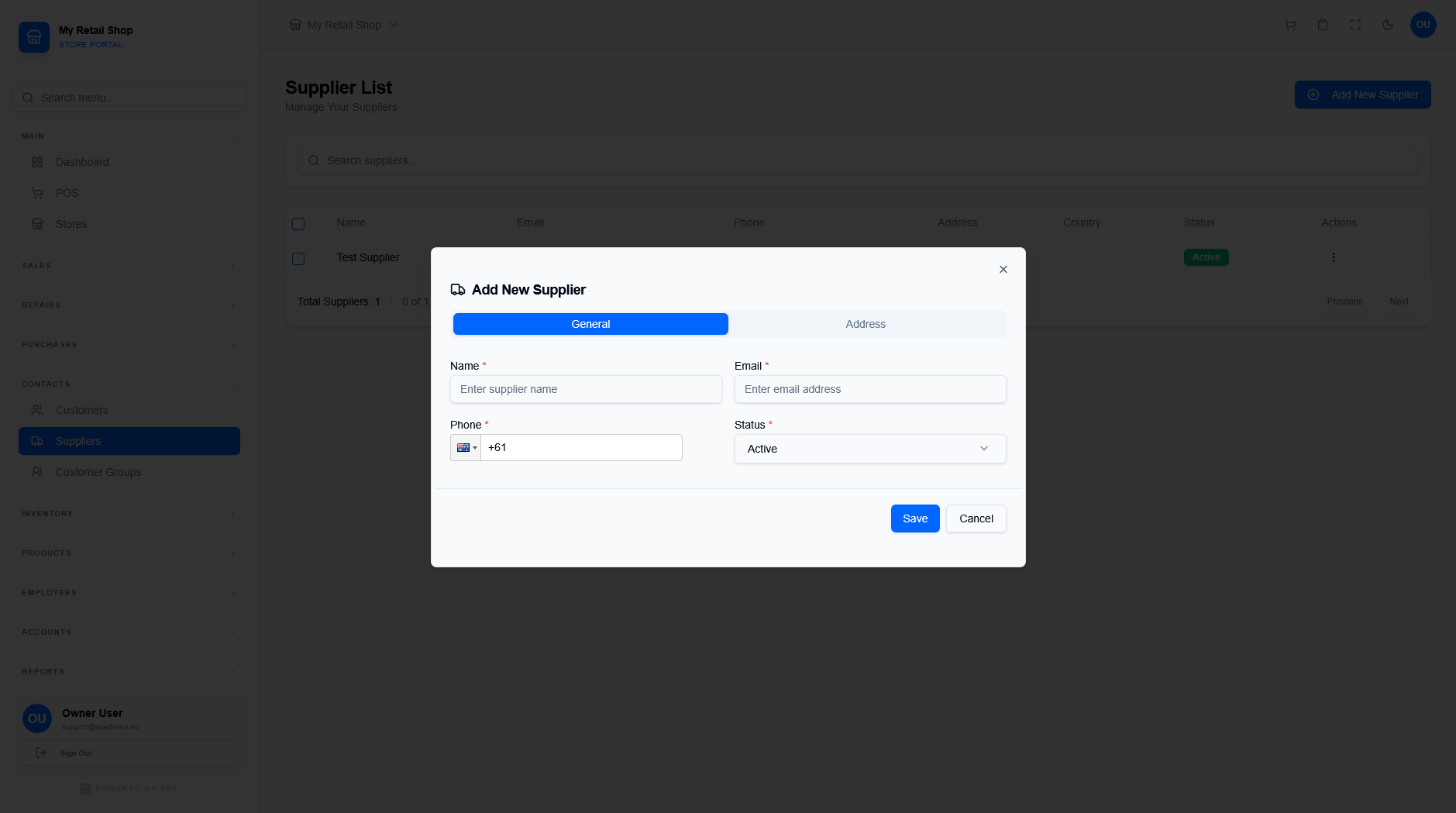
Figure 2 — Core identity and contact fields.
- Name: The legal name of the company or individual.
- Email: Primary contact used for sending digital purchase orders.
- Phone: Includes a country code selector for international vendor support.
- Status: New suppliers are set to Active by default.
¶ 2.2 Address Details
The Address tab ensures shipping and billing information is accurate for logistics and tax purposes.
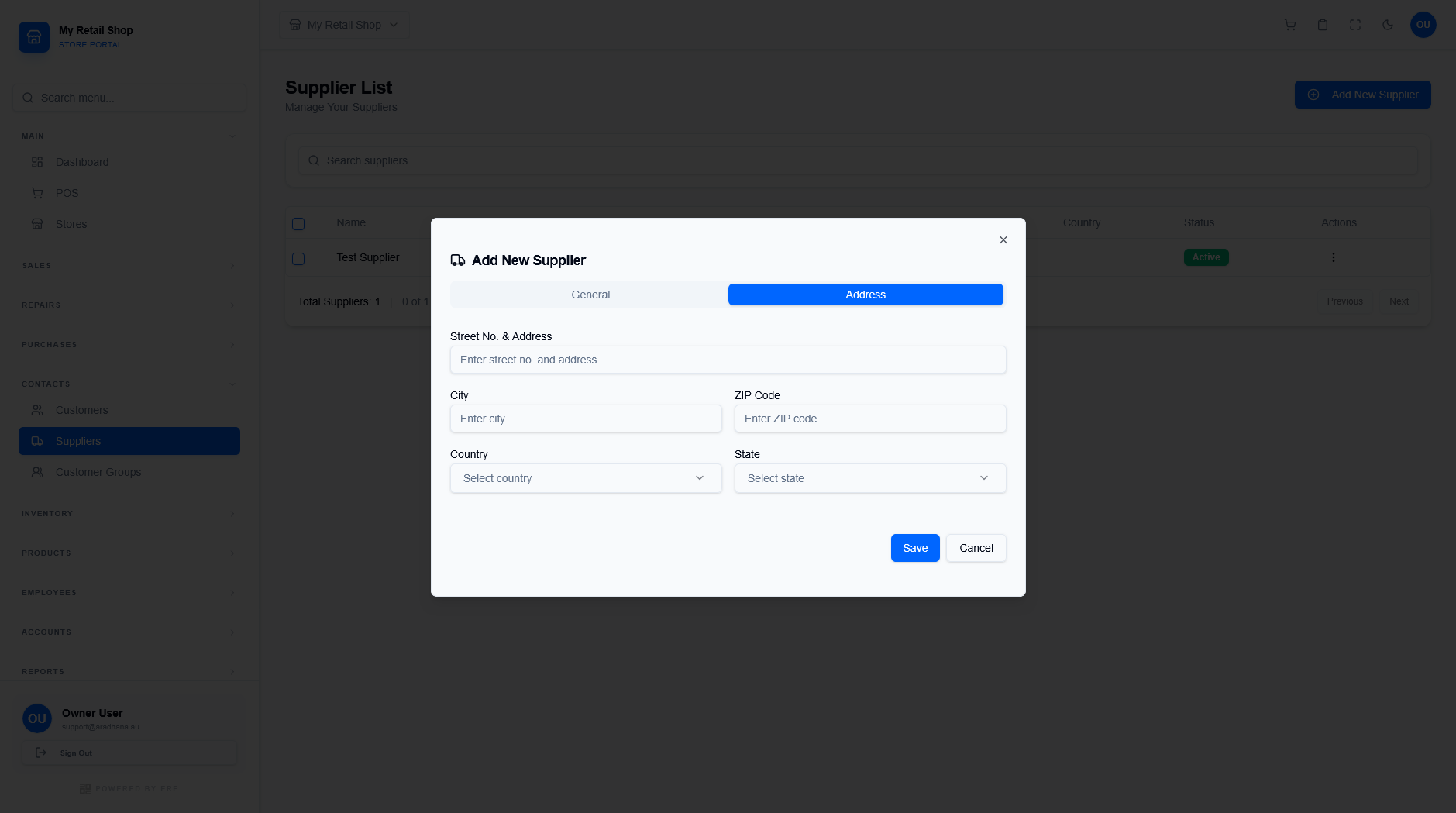
Figure 3 — Location and regional tracking data.
| Field | Description |
|---|---|
| Street No. & Address | The full physical address for deliveries. |
| City / ZIP Code | Local geographic identifiers. |
| Country / State | Select the country first to populate regional state options. |