Easy Retail Flow › Employees › Adding New Employees
¶ Adding New Employees
Follow this guide to onboard new staff members, set up their digital profiles, and assign them to specific store locations.
¶ 1. Initiation
To begin the onboarding process, navigate to the Employee List. Click the blue + Add New Employee button located at the top right of the dashboard.
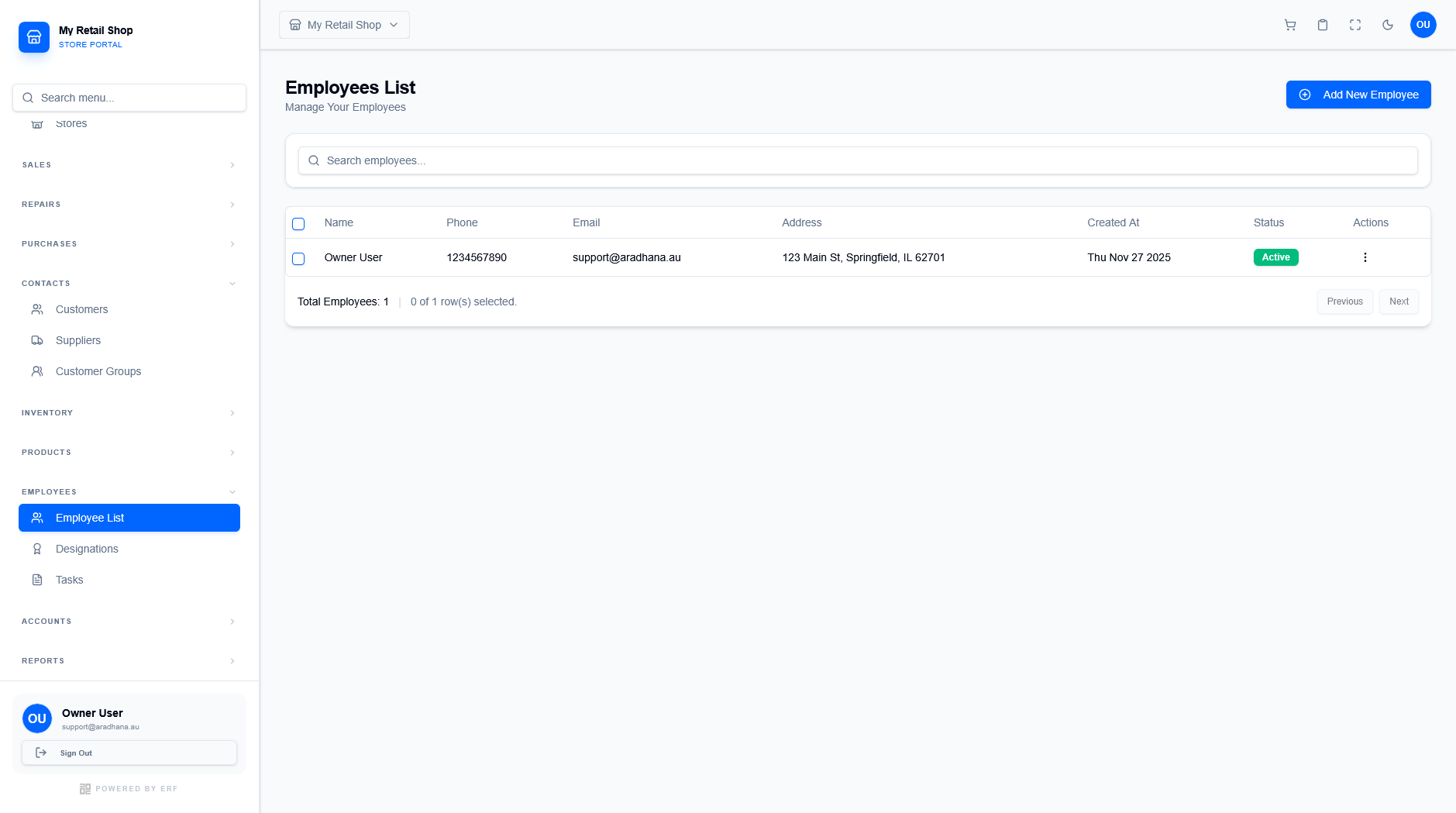
Figure 1 — The entry point for adding new staff records.
¶ 2. Employee Information
The first section focuses on the employee's personal and system profile. Mandatory fields are marked with a red asterisk (*).
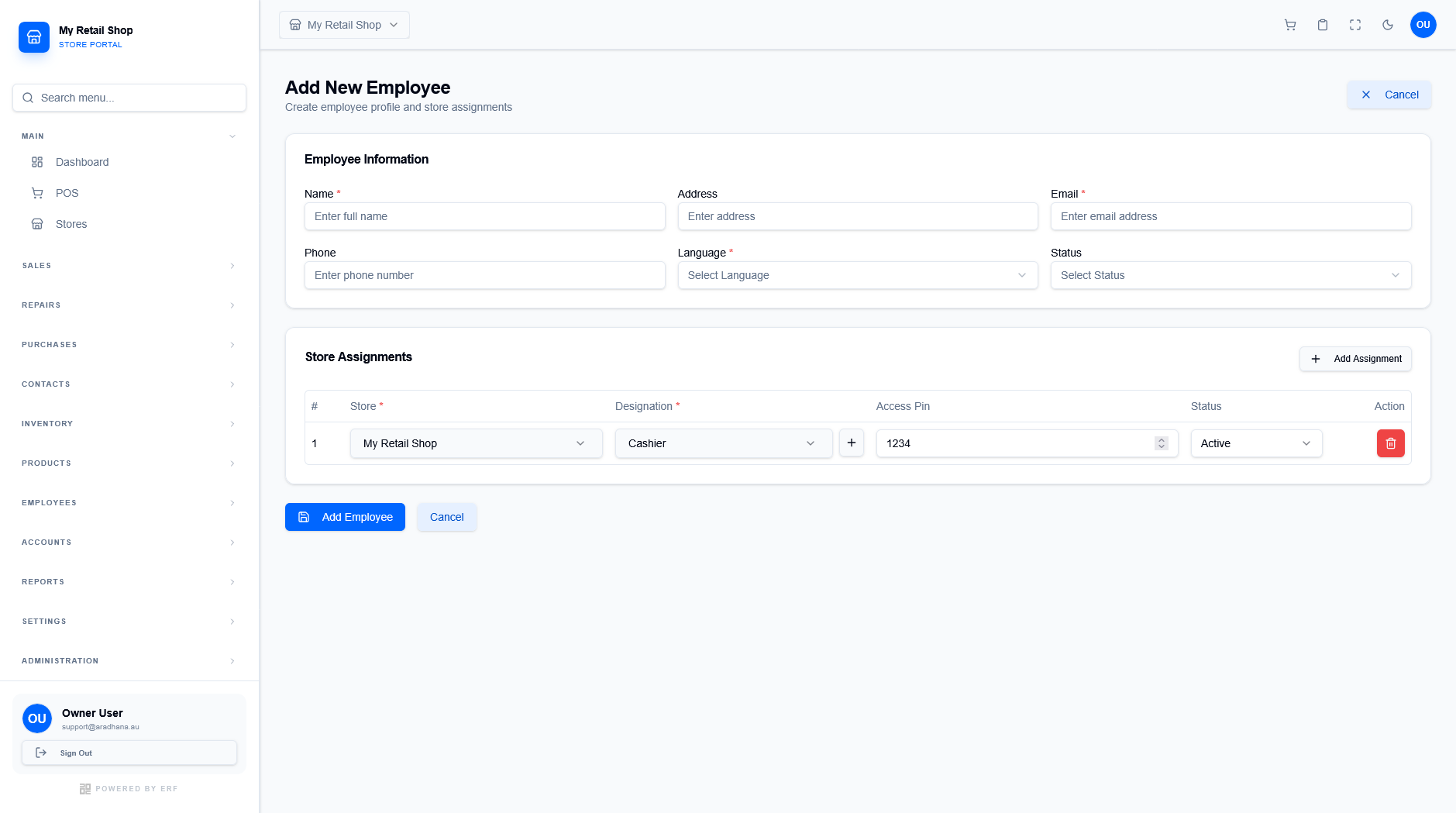
Figure 2 — The comprehensive recruitment and assignment form.
| Field | Description |
|---|---|
| Name * | Full legal name of the employee. |
| Email * | Primary work email for system notifications and login. |
| Language * | The default interface language for this staff member. |
| Status | Set to Active to enable the account immediately. |
¶ 3. Store Assignments
An employee must be assigned to at least one store to perform operations like POS sales or inventory management. You can add multiple assignments if the staff member works across branches.
- Store *: Select the specific branch where the employee is authorized.
- Designation *: Assign a functional role (e.g., Cashier, Manager) which determines their base permissions at that location.
- Access Pin: Define a unique numeric PIN (e.g., 1234) used for signing into the POS system.
- Status: Control whether the specific store assignment is currently active.