Easy Retail Flow › Employees › Tasks
¶ Tasks Management
Create and Manage Tasks. Assign and track staff responsibilities and daily routines.
¶ 1. Tasks Overview
The Tasks Management dashboard allows administrators and managers to monitor the progress of work within the store. Access this via Employees › Tasks.
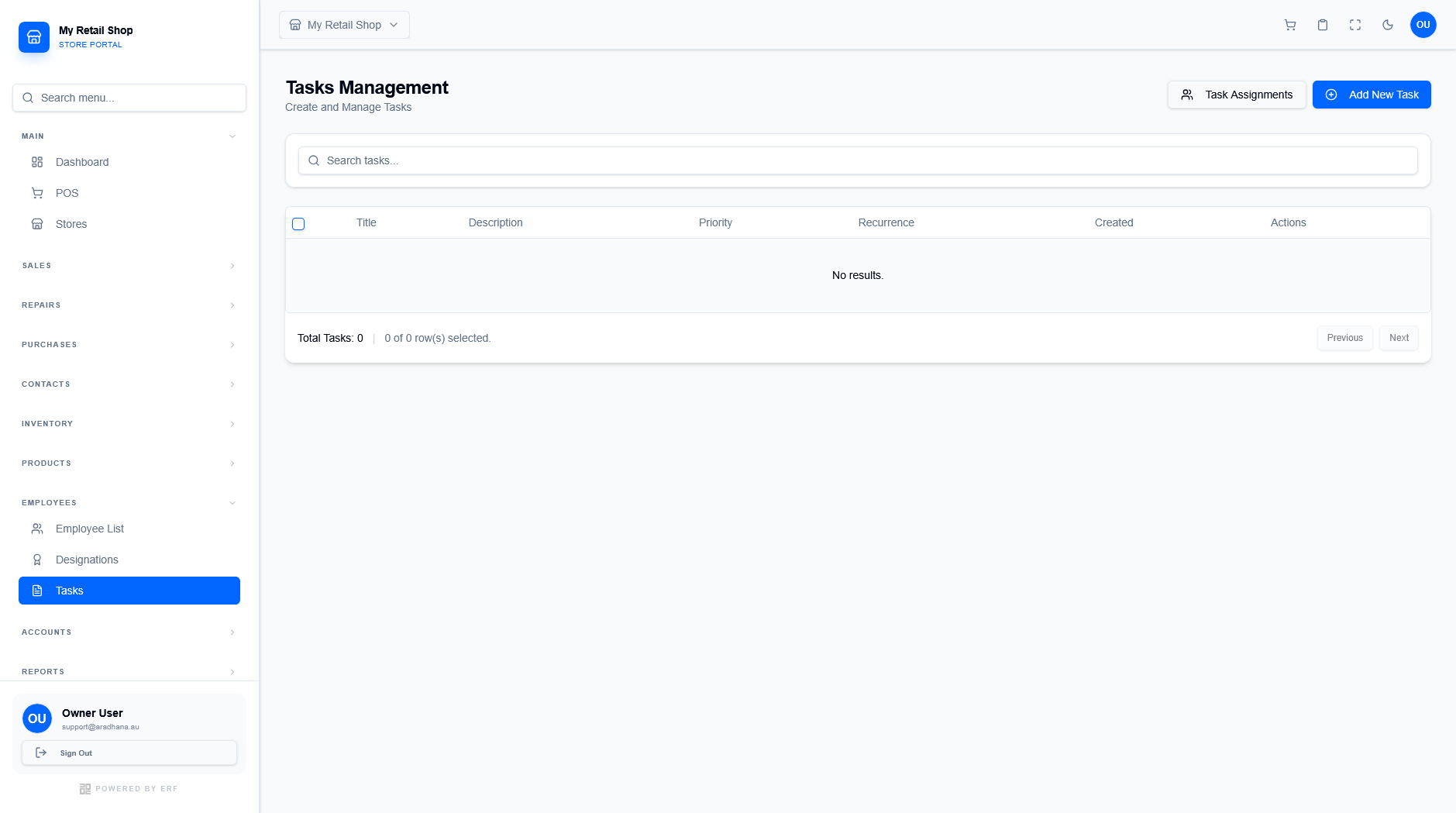
Figure 1 — The centralized task management interface.
¶ 1.1 Dashboard Tools
The interface provides standard management tools:
- Search: Use the "Search tasks..." field to quickly filter by title or keyword.
- Task Assignments: View a detailed workload summary for all staff members.
- Add New Task: Opens the creation modal to define new work requirements.
¶ 2. Adding a New Task
Click the + Add New Task button to open the workflow modal. The process is divided into two primary sections.
¶ 2.1 Task Details
Define the core scope of the work to be performed:
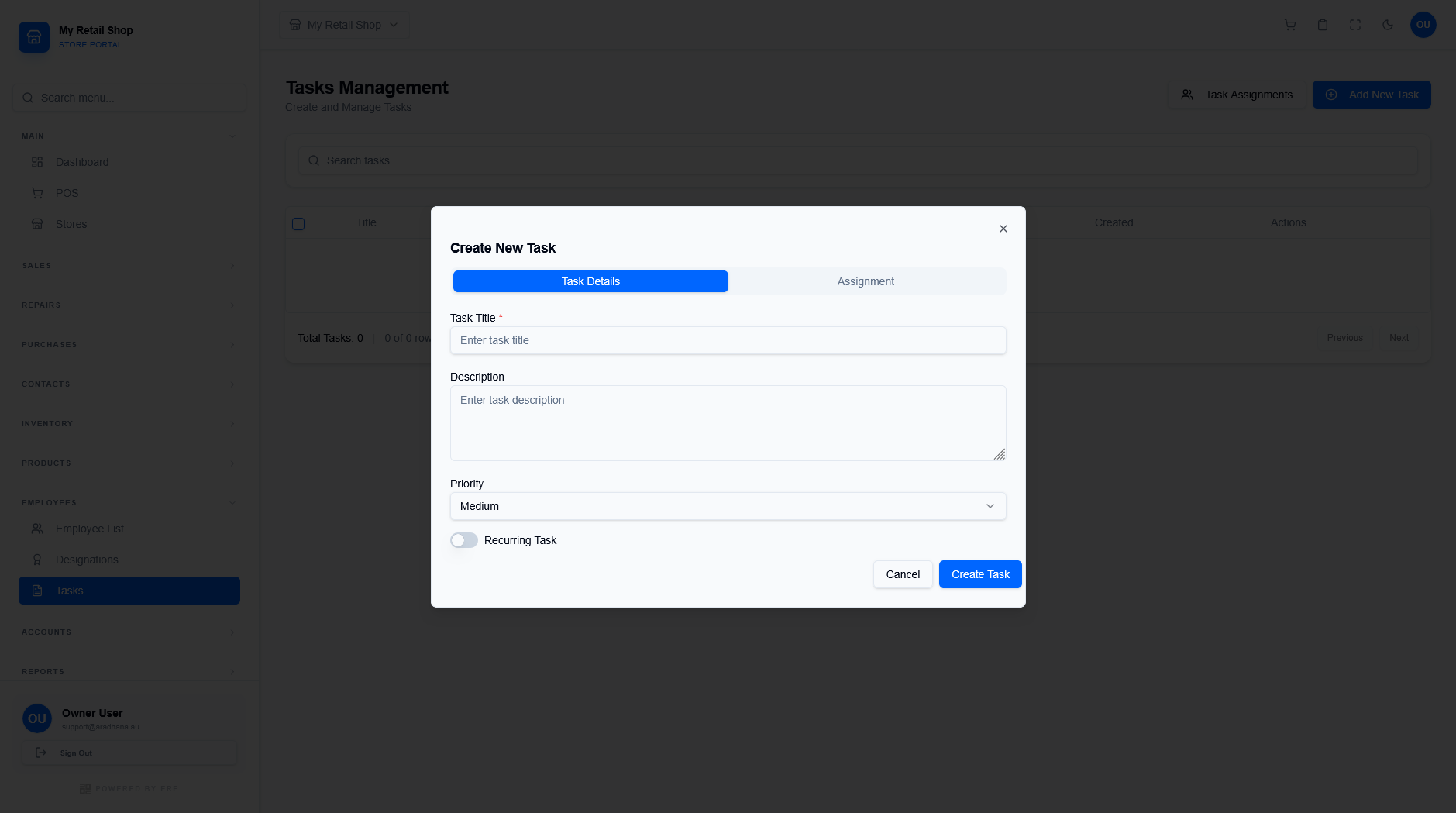
Figure 2 — Defining primary task requirements.
| Field | Description |
|---|---|
| Task Title * | The name of the task (e.g., "Monthly Stock Take"). |
| Description | Detailed SOP instructions or notes for the staff member. |
| Priority | Assign urgency levels (Low, Medium, or High). |
| Recurring Task | Toggle for tasks that repeat in daily or weekly cycles. |
¶ 2.2 Assignment and Scheduling
Assign responsibility and specify the timeframe for completion:
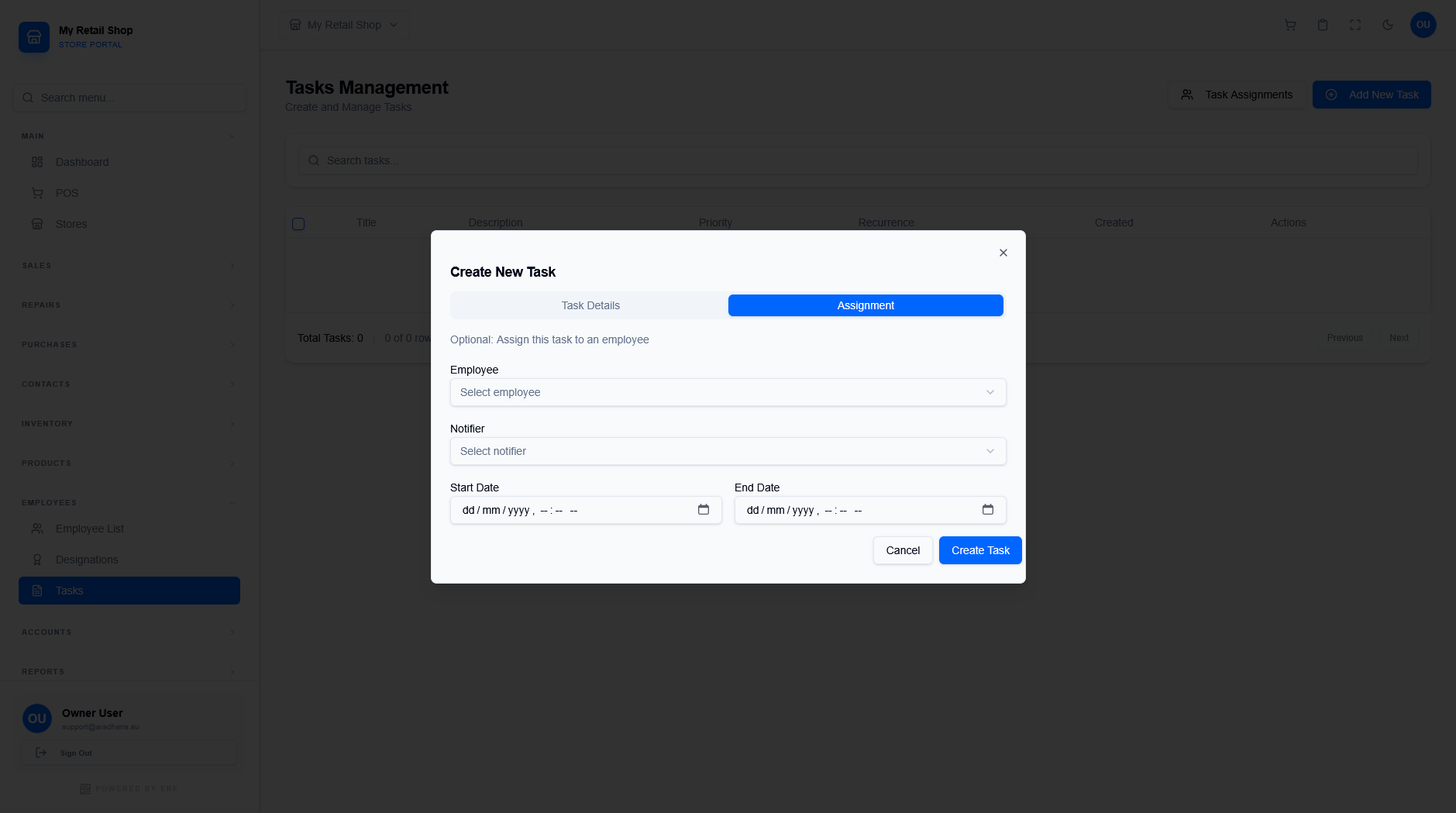
Figure 3 — Staff and timeline configuration.
- Employee: The specific staff member responsible for the task.
- Notifier: The supervisor who will receive completion updates.
- Start & End Date: The mandatory execution window for the task.
Efficiency Tip: Use the Description field to link to specific wiki guides or standard operating procedures to ensure consistent quality across all staff members.
© 2026 Easy Retail Flow