Easy Retail Flow › Inventory › Opening Stock
¶ Opening Stock
Configure initial stock levels and unit costs for your products before beginning live operations.
¶ 1. Initiation & Store Context
The Opening Stock module is used to migrate physical inventory counts into the system. This is typically performed once per product to establish a baseline.
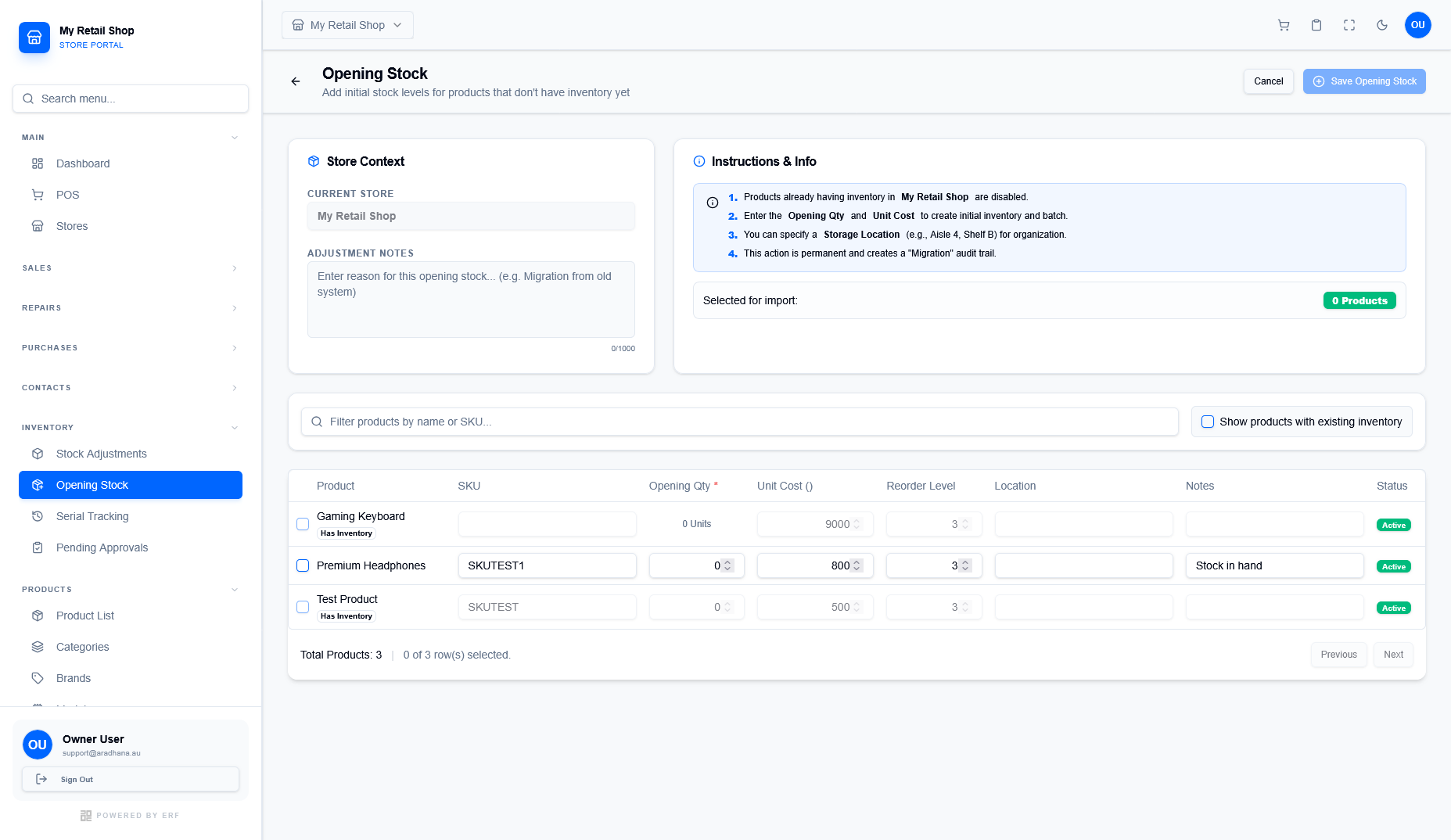
Figure 1 — The opening stock management screen.
¶ Store Context
Select the Current Store to define where the stock is being received. Use Adjustment Notes to record a reason (e.g., "Migration from legacy system") for audit purposes.
¶ System Information
The Instructions & Info panel provides critical guardrails, such as informing you that products with pre-existing inventory cannot have opening stock added.
¶ 2. Data Entry Table
The table allows you to filter products by name or SKU and enter quantities in bulk. Note that several fields are mandatory for accurate valuation.
| Field | Description & Rule |
|---|---|
| Opening Qty * | The physical count of units currently in stock. |
| Unit Cost | The purchase price per unit, used to calculate your initial inventory asset value. |
| Reorder Level | The threshold at which the system will alert you to restock this item. |
| Location | Optional specific bin or shelf location (e.g., Aisle 4, Shelf B). |
- Products already having inventory levels in the selected store are disabled for selection.
- The "Migration" audit trail is permanent and cannot be reversed easily.
- To view all products (including those with stock), toggle the "Show products with existing inventory" checkbox.