Easy Retail Flow › Inventory › Pending Approvals
¶ Pending Approvals
Manage and review stock adjustments that require authorization before being committed to inventory.
¶ 1. Approvals Queue
The Pending Approvals page provides a centralized list of all inventory changes awaiting manager review. This ensures data integrity and prevents unauthorized stock movements.
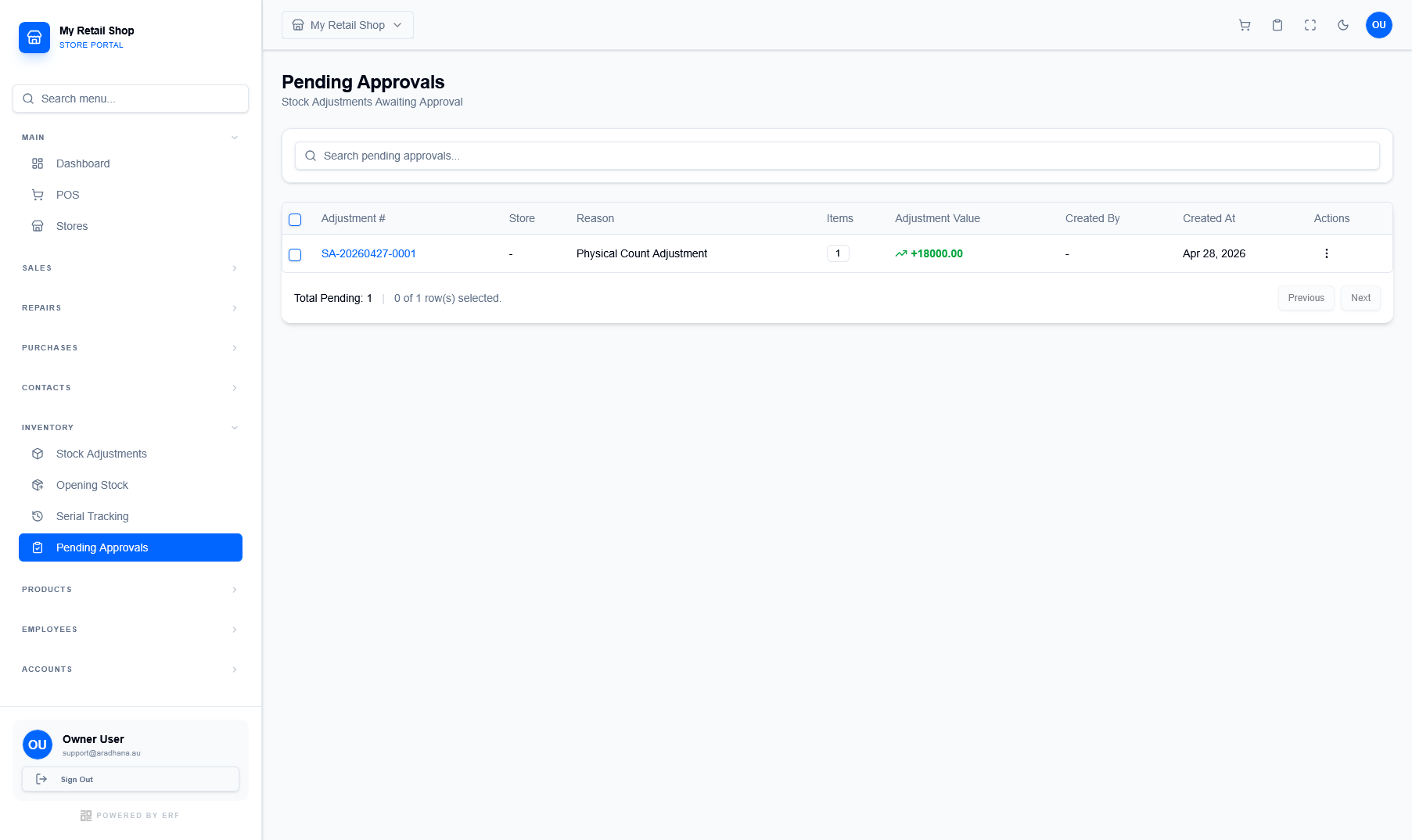
Figure 1 — The main queue for pending stock adjustments.
¶ Queue Overview
Each row represents a specific adjustment request. You can quickly see the Adjustment Value (indicated by + or - signs) and the Reason for the change.
¶ Global Search
Use the search bar at the top to filter by Adjustment #, Store, or specific Reason keywords to find records quickly.
¶ 2. Reviewing Adjustment Details
Clicking on a record opens the detail panel. This allow managers to inspect the specific items and quantities before final approval.
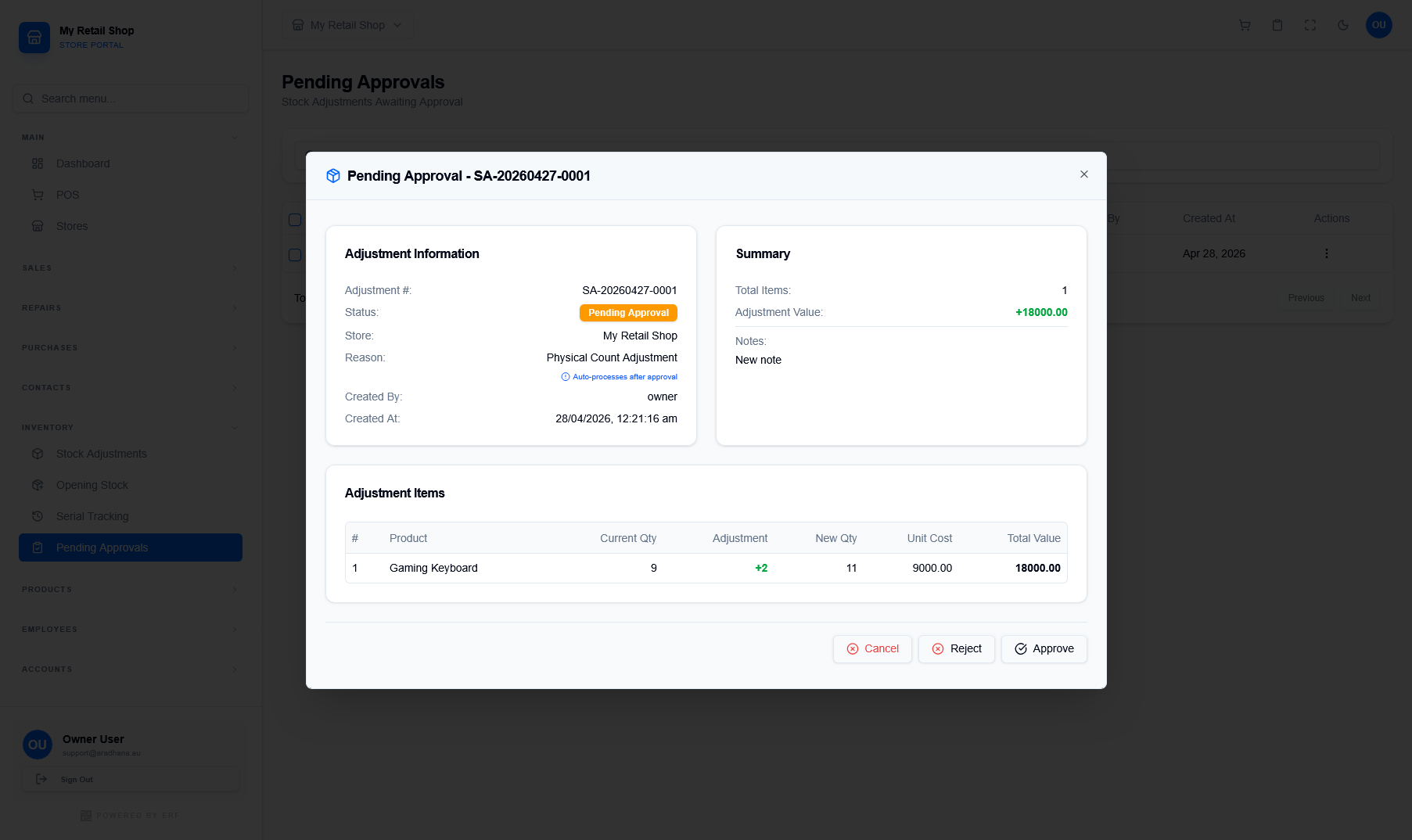
Figure 2 — The approval details panel for a specific adjustment.
¶ Information Summary
The panel breaks down the adjustment into Information (metadata) and Summary (totals). You can also see any Notes added by the initiator.
¶ Itemized Breakdown
Review every product affected. The table shows Current Qty, the proposed Adjustment, and the resulting New Qty.
- Approve: Commits the adjustment and updates inventory levels across all stores immediately.
- Reject: Permanently cancels the adjustment request.
- Cancel: Closes the panel without making any changes.
¶ 3. Approval Workflow
- Navigate to Inventory › Pending Approvals from the main sidebar.
- Select the adjustment record you wish to review from the queue.
- Carefully verify the New Qty and Adjustment Value.
- Optionally review the Notes for the reason behind the adjustment.
- Click Approve to finalize or Reject to decline the request.