Easy Retail Flow › Main › POS
¶ Point of Sale (POS)
Process customer transactions, manage carts, and finalize payments through a high-efficiency retail interface.
¶ 1. POS Interface Overview
The POS interface is split into two primary zones: the Cart Management area on the left and the Product Catalog on the right. This allows for rapid item selection and total calculation.
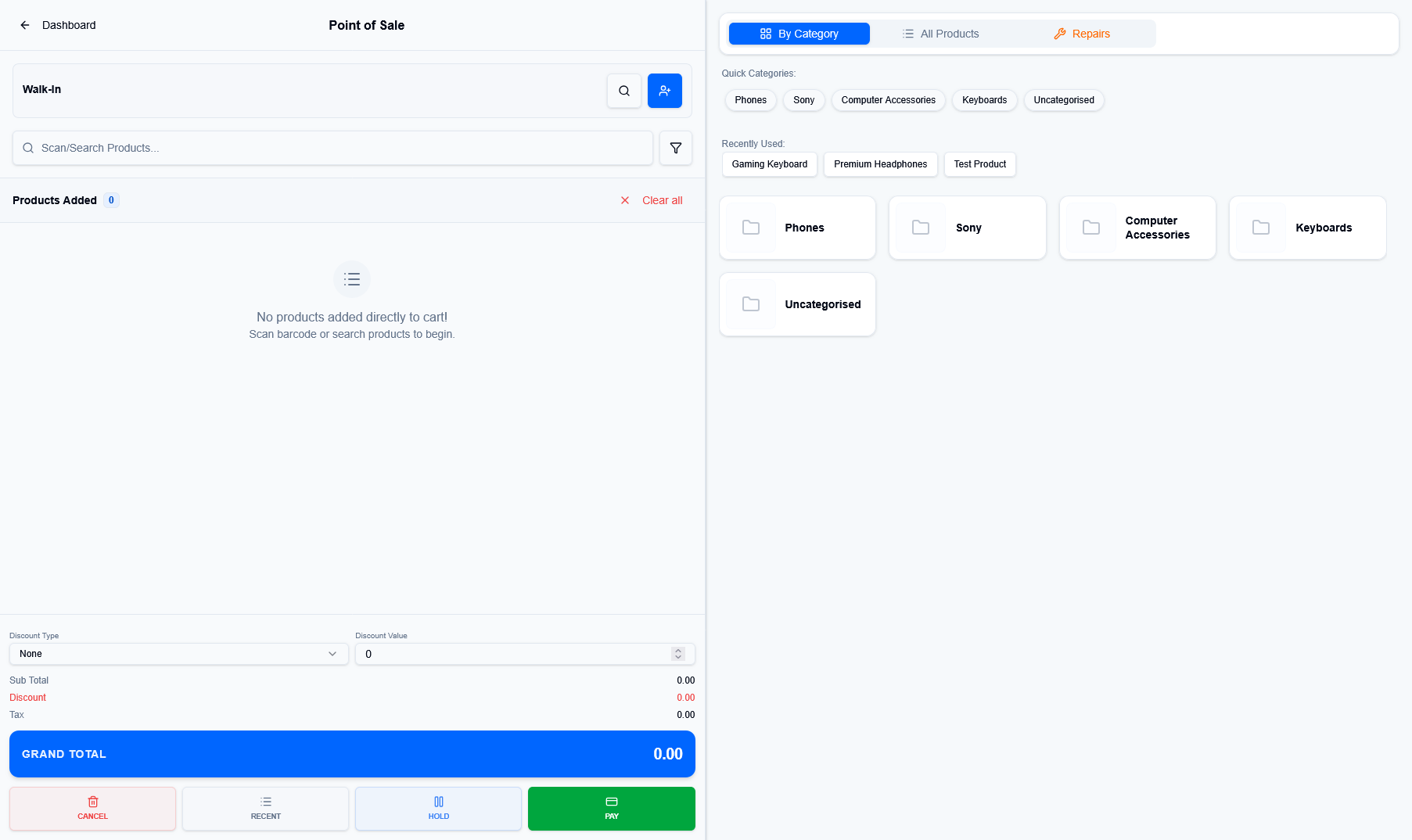
Figure 1 — The dual-pane POS terminal showing the cart and category navigator.
¶ Cart & Customer
Identify the Customer (defaults to Walk-In) and scan barcodes or search for products. The cart tracks sub-totals, discounts, and taxes in real-time.
¶ Category Navigation
Browse products via Quick Categories (Phones, Sony, etc.) or use the Recently Used list for fast-moving items.
¶ 2. Processing Payments
Once the cart is ready, click the green PAY button to open the secure payment gateway.
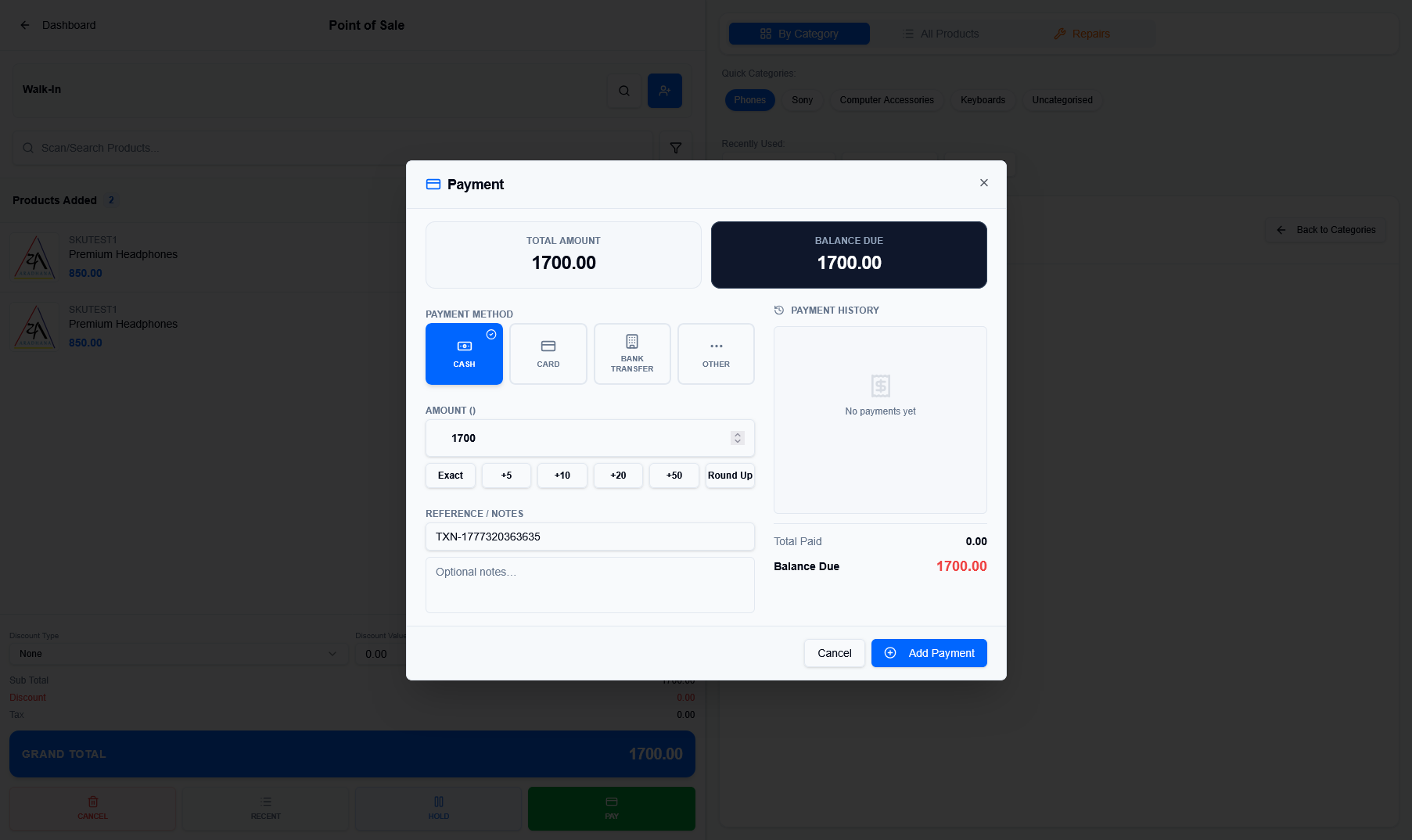
Figure 2 — The payment panel with multi-channel support.
- Multi-Method Support: Process payments via Cash, Card, Bank Transfer, or custom methods.
- Smart Inputs: Use the quick-add buttons (+5, +10, +20) to quickly enter the amount received.
- Partial Payments: The panel tracks the Balance Due if the customer is paying in installments.
¶ 3. Finalization & Invoicing
After a successful payment, the system generates a unique invoice and provides immediate options for documentation.
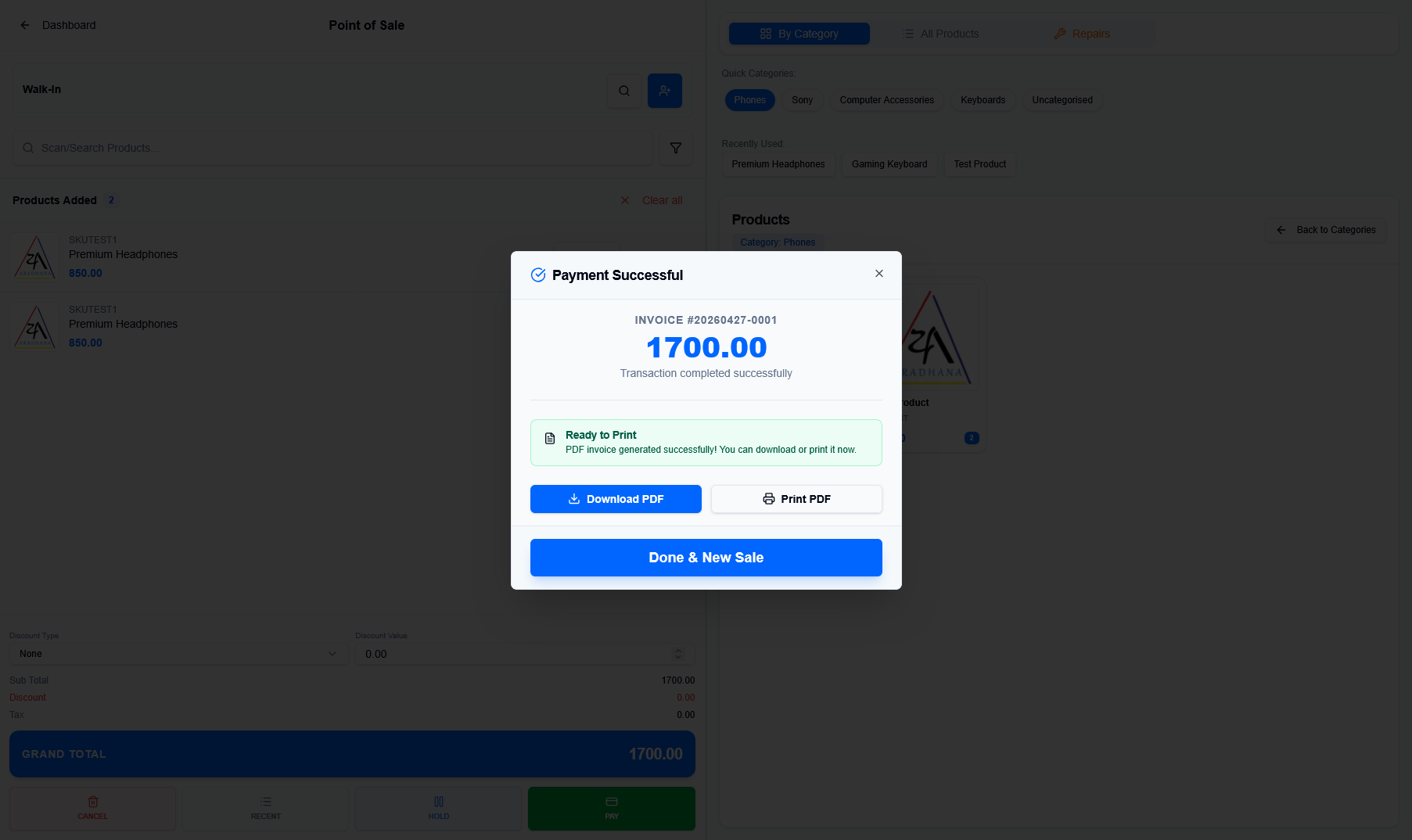
Figure 3 — Transaction success confirmation and invoice generation.
- Download/Print PDF: Generate a physical or digital receipt for the customer immediately.
- Done & New Sale: Clears the terminal and readies the system for the next customer in the queue.