Easy Retail Flow › Products › Brands
¶ Product Brands
Organize your inventory by manufacturer and brand identity for better filtering and reporting.
¶ 1. Brands Directory Overview
The Brands page lists all product manufacturers currently registered in your system. This categorization allows for detailed sales analytics and structured inventory browsing.
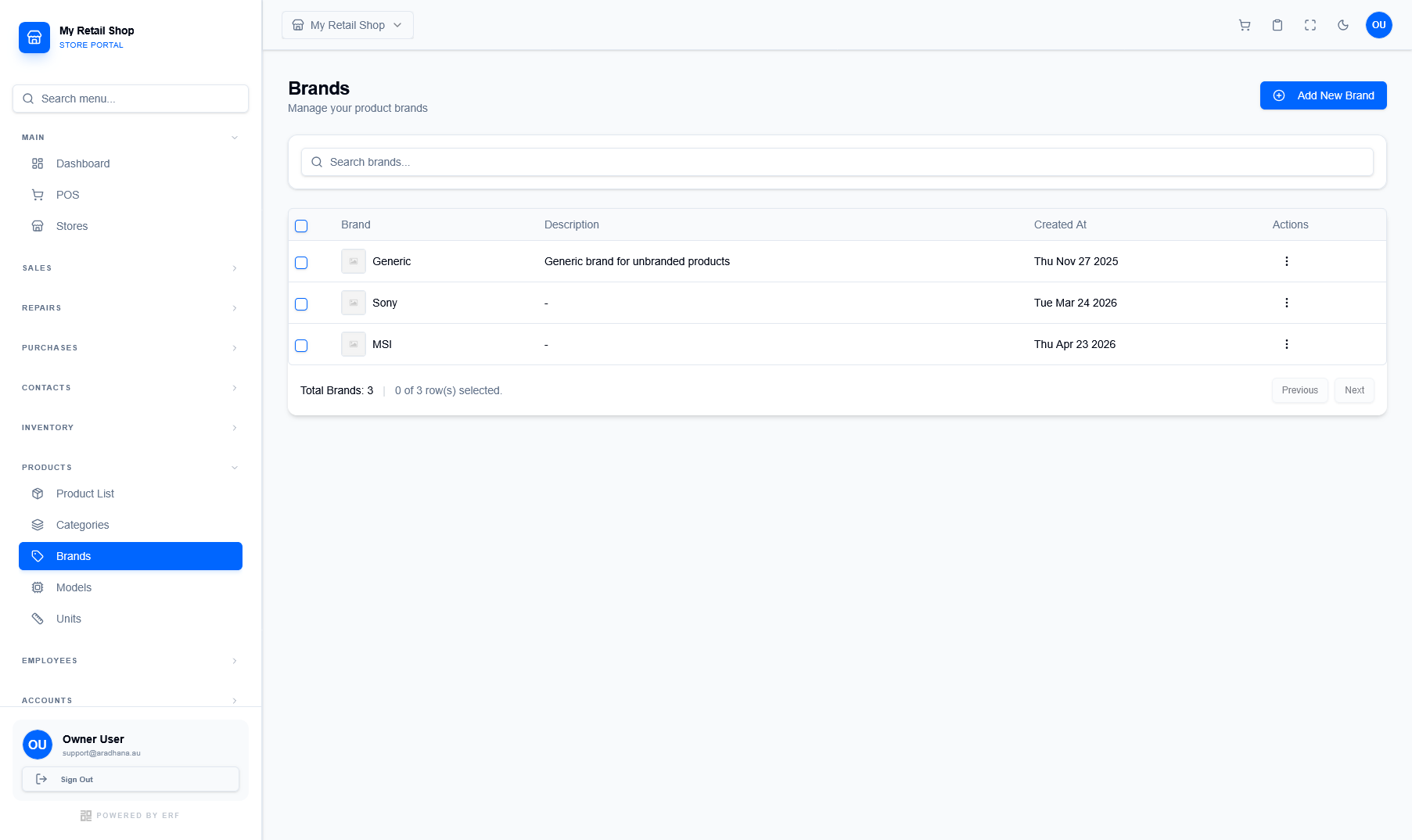
Figure 1 — The Brands directory featuring logos and creation history.
¶ 1.1 Managing Existing Brands
The directory provides a quick summary of your brand associations:
- Brand Identity: Displays the brand name alongside its logo for visual identification.
- Description: Brief overview of the brand's product range or internal notes.
- Audit Trail: Tracks the date each brand was first added to the global catalog.
¶ 2. Creating a New Brand
To add a new manufacturer, click the blue Add New Brand button. This opens the creation modal where you can define the brand's core attributes.
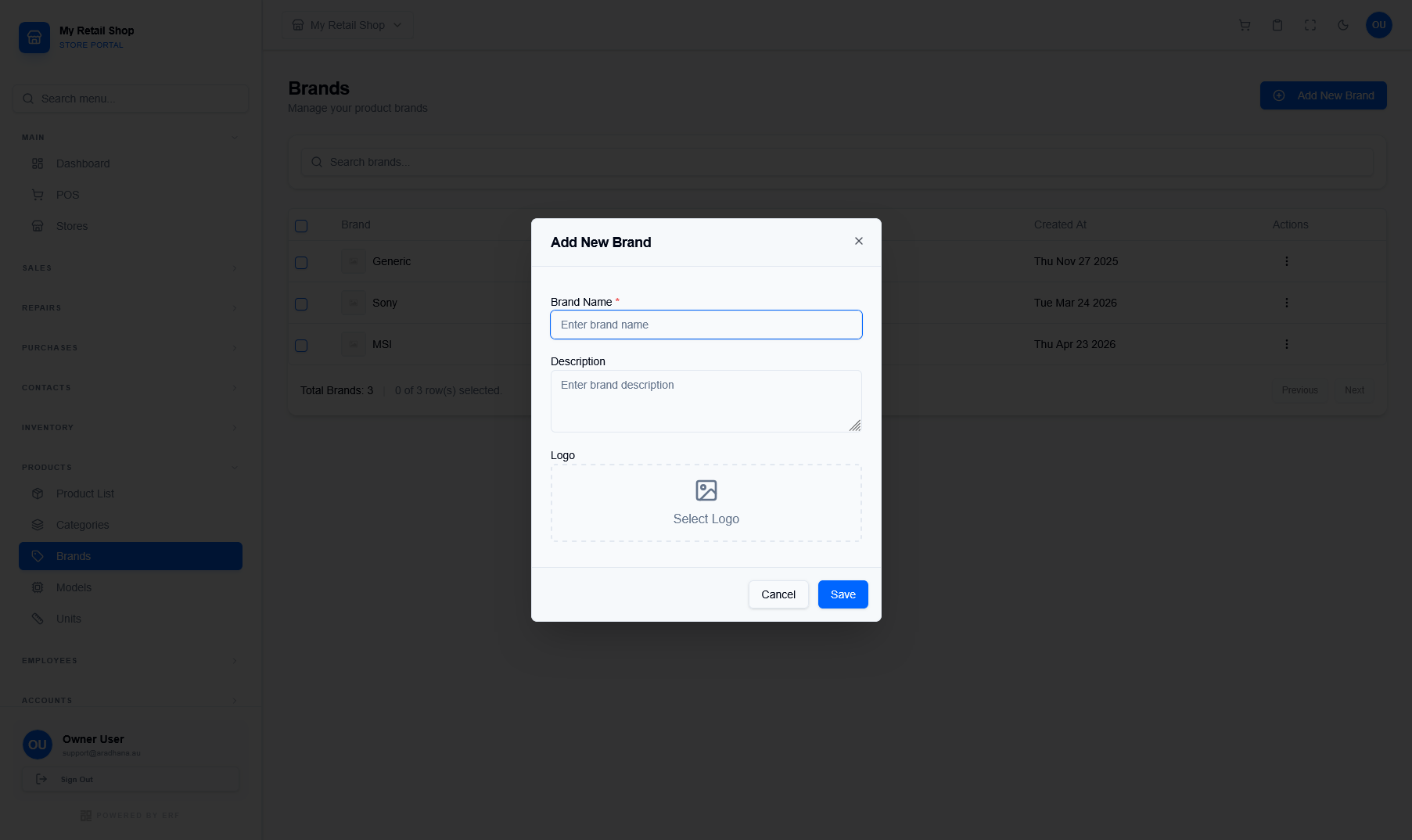
Figure 2 — The simplified brand creation interface.
| Field | Requirement & Usage |
|---|---|
| Brand Name * | The primary display name (e.g., Sony, MSI). This is a mandatory field. |
| Description | Optional text to describe the brand or its origin. |
| Logo | Upload a square or transparent logo. This logo will be used in product catalogs and filtered searches. |
System Hierarchy Tip: Brands are top-level identifiers. You can further refine your organization by creating Models and Categories that link back to these primary brands.
© 2026 Easy Retail Flow