Easy Retail Flow › Products › Categories
¶ Product Categories
Structure your inventory using a hierarchical classification system for streamlined navigation and reporting.
¶ 1. Hierarchical Category Management
The Categories interface supports a multi-level nesting system, allowing you to group products into broad families and specific sub-types.
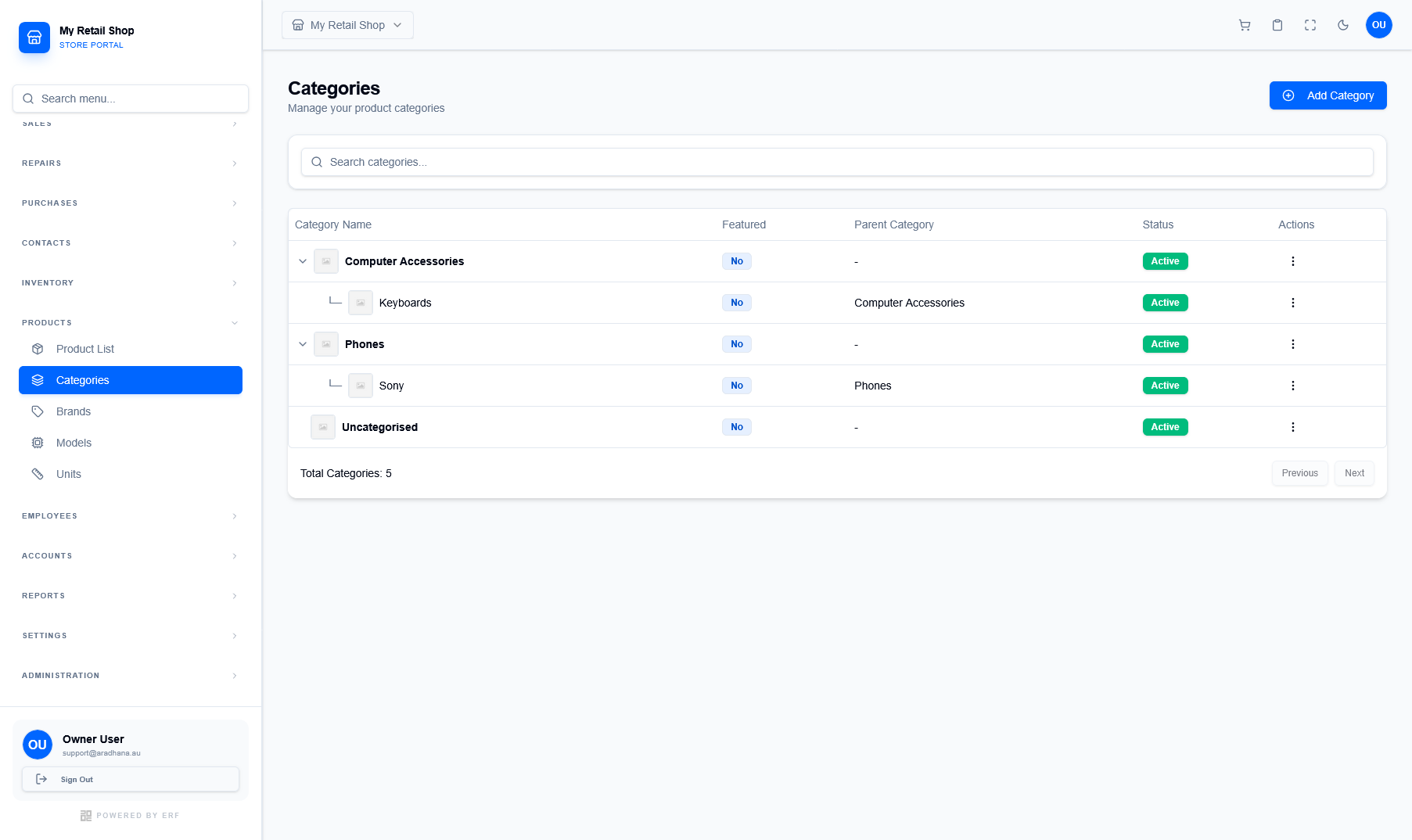
Figure 1 — The hierarchical list view showing parent and child category relationships.
¶ 1.1 Understanding the Table
The category table provides key insights into your organizational structure:
- Nesting: Child categories are indented below their respective Parent Category.
- Featured Status: Indicates if the category is highlighted in the POS "Quick Selection" menu.
- Status: Use the Active toggle to control the global visibility of all products within a category.
¶ 2. Adding & Configuring Categories
Click Add Category to define a new classification. You can create a top-level category by setting the parent to 'None', or nest it under an existing one.
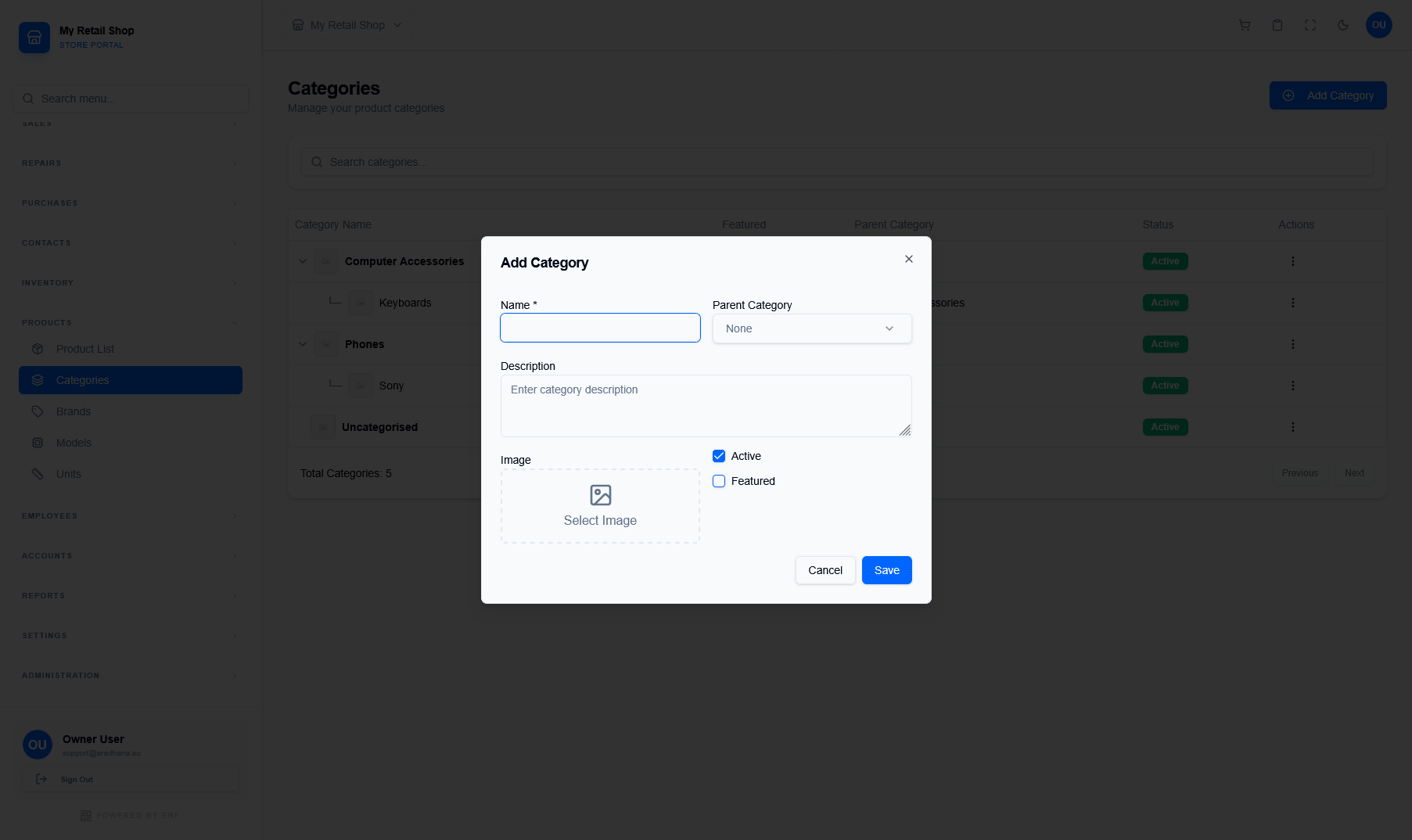
Figure 2 — The configuration modal for new product categories.
| Field / Option | Purpose |
|---|---|
| Name * | The display name of the category (e.g., Keyboards, Phones). |
| Parent Category | Select an existing category to create a sub-group relationship. |
| Featured Checkbox | When checked, this category appears as a quick-access button in the POS terminal. |
| Image | Upload a representative icon or photo for visual navigation in the POS catalog. |
Important Tip: Deactivating a parent category will automatically hide all of its child categories and their associated products from the active POS catalog.
© 2026 Easy Retail Flow