Easy Retail Flow › Products › Models
¶ Product Models
Manage specific product variations and series under their respective brand identities.
¶ 1. Models Directory Overview
The Models interface acts as a sub-level of organization below Brands. It allows you to track specific product series or versions, ensuring your inventory is granular and easy to search.
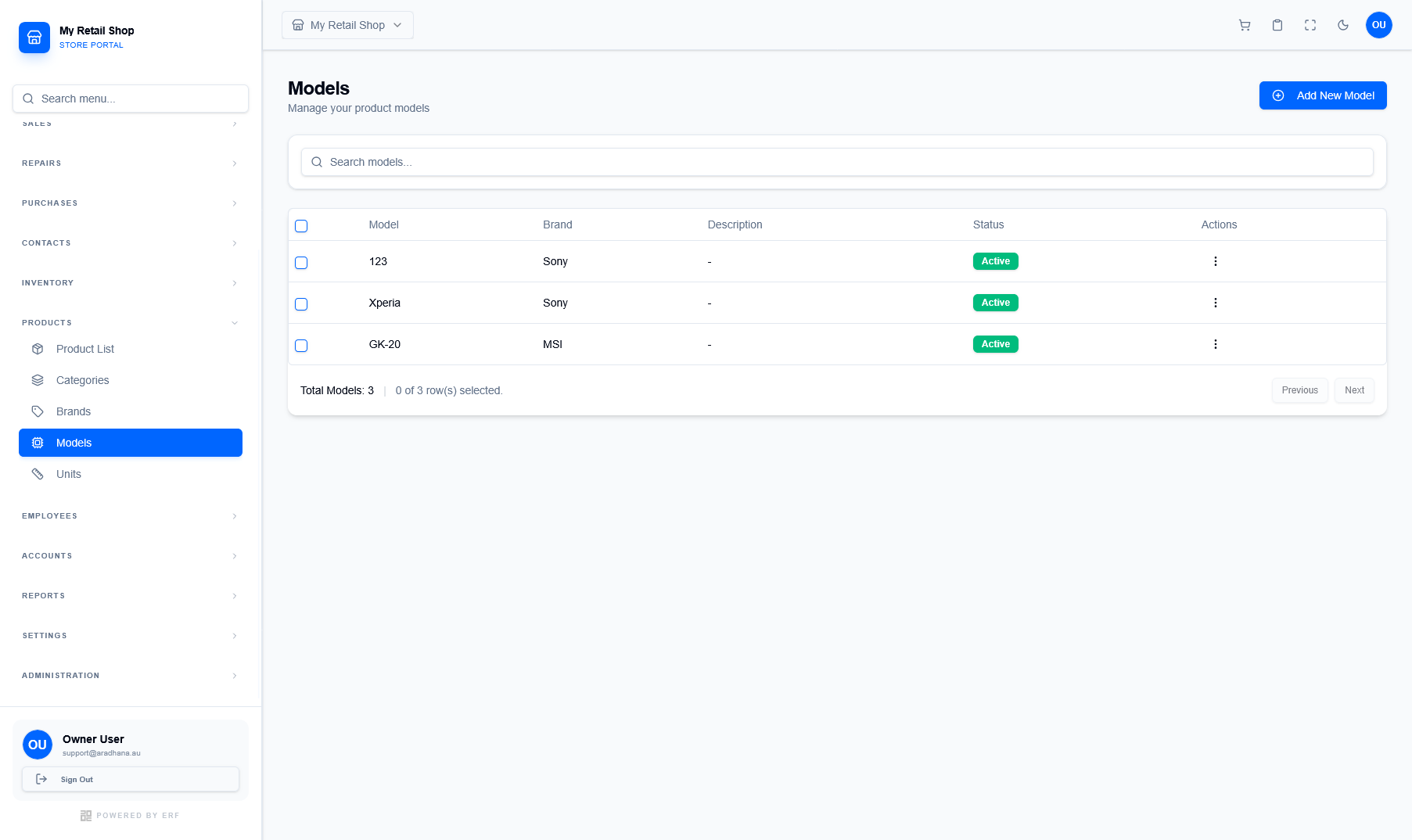
Figure 1 — The Models directory showing the relationship between specific models and their parent brands.
¶ 1.1 Key Data Associations
Every model record is linked to a primary brand, facilitating better inventory grouping:
- Brand Link: Each model must be associated with an existing Brand (e.g., Xperia is linked to Sony).
- Operational Status: Models marked as Active appear in product creation dropdowns. Inactive models are hidden to keep menus clean.
- Management: Use the "Actions" menu to edit model names or update their descriptions as your catalog evolves.
¶ 2. Creating a New Model
To add a new model series, click the Add New Model button. This ensures that when you create individual products, you have a predefined list of series to choose from.
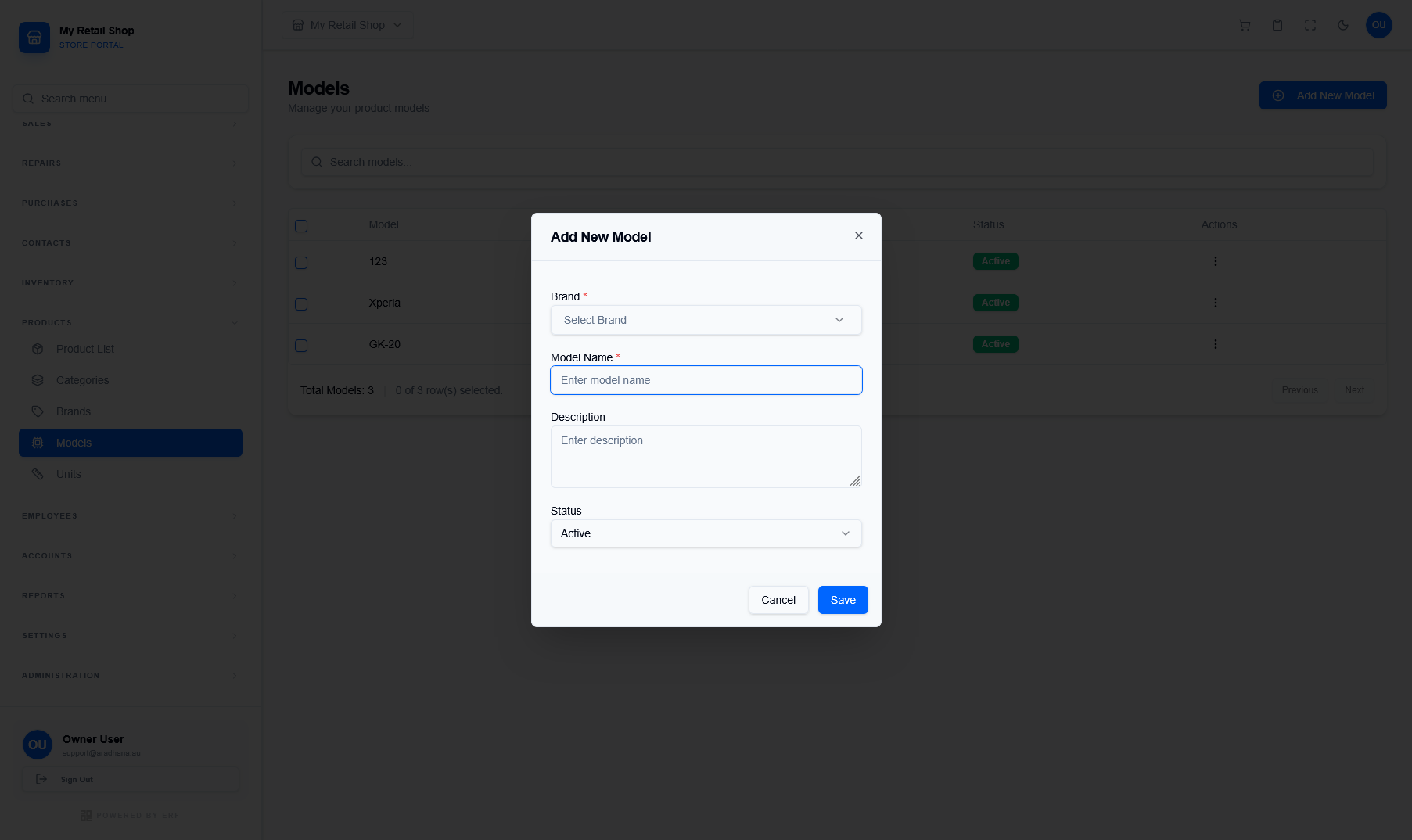
Figure 2 — The configuration modal for adding new product models.
| Field | Requirement & Purpose |
|---|---|
| Brand * | Select the parent brand from the dropdown. This is a mandatory association. |
| Model Name * | The specific name or number of the model (e.g., Galaxy S24, GK-20). |
| Description | Optional notes regarding the model's specifications or series characteristics. |
| Status | Set to Active to make the model available for selection in the Product Wizard. |
Pro Tip: Using consistent naming conventions for models (e.g., including the series year) will greatly improve the accuracy of your inventory filtering and sales reports.
© 2026 Easy Retail Flow