Easy Retail Flow › Products › Units
¶ Measurement Units
Define the standard units of measurement (UoM) used for stocking and selling your products.
¶ 1. Units Directory
The Units page manages how your inventory is quantified. Whether you sell by the piece, weight, volume, or length, this central registry ensures consistency across all stores.
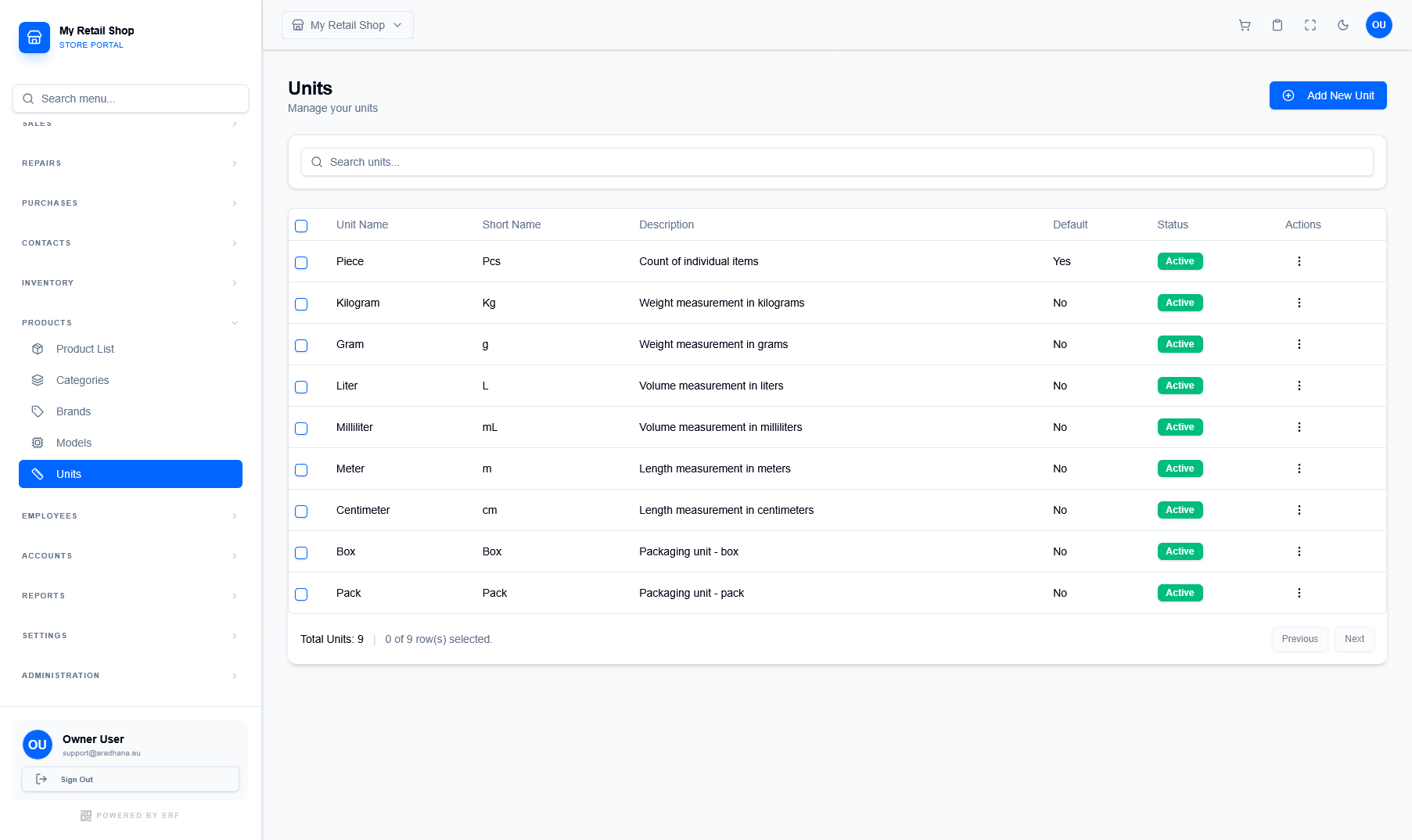
Figure 1 — The global registry of measurement units and their short names.
¶ 1.1 Understanding Unit Attributes
Each measurement unit contains specific metadata used for POS and Inventory displays:
- Short Name: The abbreviation (e.g., Kg, Pcs, mL) used in compact views and on printed receipts.
- Default Unit: The system-wide fallback unit (typically 'Piece') used when no specific unit is assigned to a product.
- Status: Active units are available for selection when adding new products or processing sales.
¶ 2. Creating a New Unit
To add a custom unit of measure, click the Add New Unit button. This is useful for specialized packaging or industry-specific measurements.
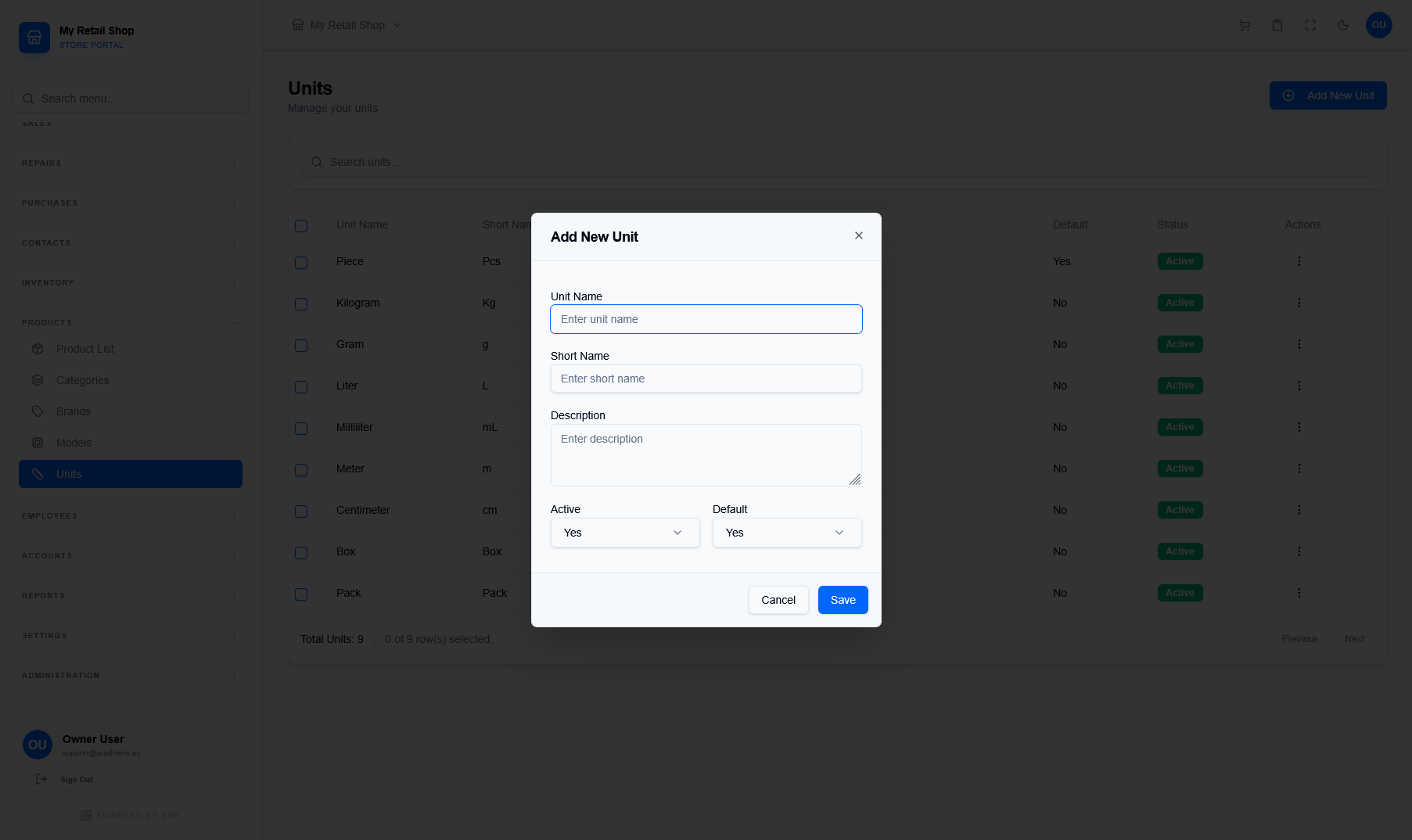
Figure 2 — The configuration modal for defining new measurement standards.
| Field | Description & Rule |
|---|---|
| Unit Name * | The full descriptive name (e.g., Kilogram, Milliliter). |
| Short Name * | The 2-4 character abbreviation used for UI elements. |
| Active | Toggles whether this unit can be assigned to products. |
| Default | If set to 'Yes', this unit will be pre-selected in the Product Wizard. Only one unit can be the system default. |
Warning: Changing the Short Name of a unit that is already in use will update all existing product displays and historical receipt data associated with that unit.
© 2026 Easy Retail Flow