Easy Retail Flow › Purchases › GRNs
¶ Goods Received Notes (GRN)
Officially record the arrival of stock into your warehouse, either from existing purchase orders or new deliveries.
¶ 1. Creating a GRN
The GRN is the final step in the procurement process where physical stock meets the digital system. You can create a GRN by linking it to a Purchase Order or by manually adding items for direct deliveries.
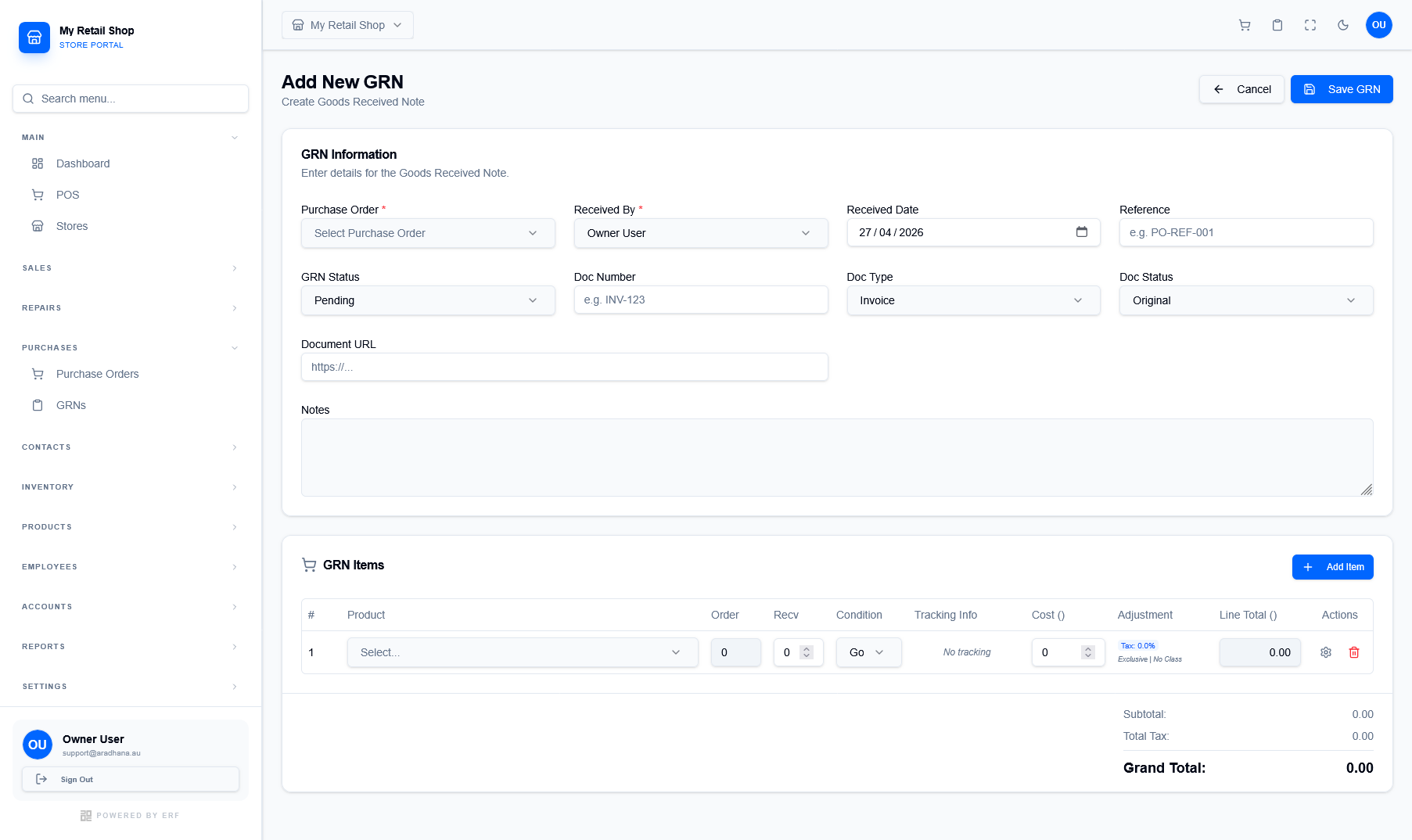
Figure 1 — The GRN creation form showing item receipt and condition tracking.
¶ PO Linkage
By selecting an existing Purchase Order, the system automatically populates the expected quantities, helping you identify discrepancies between what was ordered and what was received.
¶ Condition & Quality
Each received item can be tagged with its physical Condition (e.g., Good, Damaged). This is vital for initiating return-to-vendor (RTV) workflows early.
¶ 2. GRN Information Fields
The header section captures the legal and logistical metadata of the shipment:
- Doc Number: Typically the supplier's delivery note or invoice number for cross-referencing.
- Doc Type: Categorize the arrival as an Invoice, Delivery Note, or Packing Slip.
- Document URL: Attach a link to the scanned copy of the physical delivery documents.
¶ 3. Receiving Items & Adjustments
The GRN Items table allows for granular control over the received stock:
| Column | Purpose |
|---|---|
| Order vs Recv | Compares the quantity committed in the PO vs the physical quantity counted at the dock. |
| Tracking Info | Add specific serial numbers or batch IDs for the received units. |
| Adjustment | Record any price variances found on the actual delivery invoice vs the original PO. |