Easy Retail Flow › Purchases › Purchase Orders
¶ Purchase Orders
Procure stock from your suppliers, track delivery timelines, and manage incoming inventory costs.
¶ 1. Creating a New Purchase Order
The Create Purchase Order interface is designed for comprehensive procurement management. It captures everything from supplier logistics to granular item taxation.
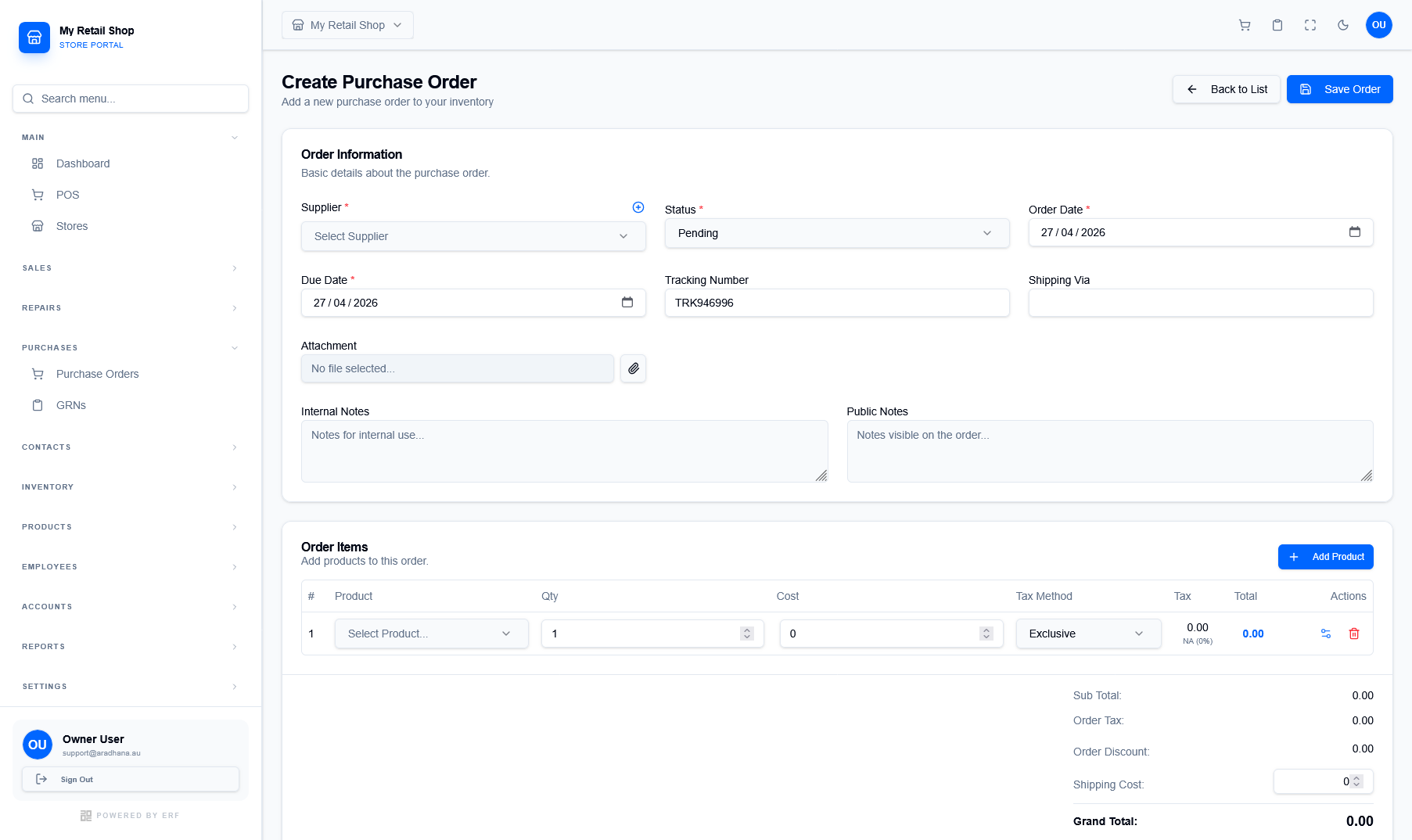
Figure 1 — The Purchase Order creation wizard with itemized cost tracking.
¶ Logistics & Supplier
Identify the Supplier and set the Order Date and Due Date. You can also include Tracking Numbers and Shipping Via information for warehouse readiness.
¶ Itemized Procurement
Add products to the order to track Cost Price, Tax Methods (Exclusive/Inclusive), and Quantities. This ensures your landed cost calculations are accurate.
¶ 2. Order Information Details
Use the header section to define the core parameters of the procurement request:
- Status: Orders default to Pending. Update to Ordered or Received as the lifecycle progresses.
- Attachments: Upload digital quotes, proforma invoices, or supplier terms directly to the record.
- Internal vs Public Notes: Use Internal Notes for private warehouse instructions and Public Notes for comments intended for the supplier.
¶ 3. Financial Summary & Totals
The bottom section of the PO calculates the total financial liability for the business:
| Component | Description |
|---|---|
| Order Tax | Aggregated tax calculated based on individual item tax methods. |
| Order Discount | Apply bulk discounts negotiated with the supplier. |
| Shipping Cost | Include freight or delivery charges in the final grand total. |