Easy Retail Flow › Repairs › New Repair
¶ Add New Repair Job
Create comprehensive service tickets capturing customer details, device diagnostics, and estimated costs.
¶ 1. Customer & Device Intake
The first step in any repair is identifying the Customer and the Device. Accurate intake prevents confusion during pickup and ensures the right device is returned to the right owner.
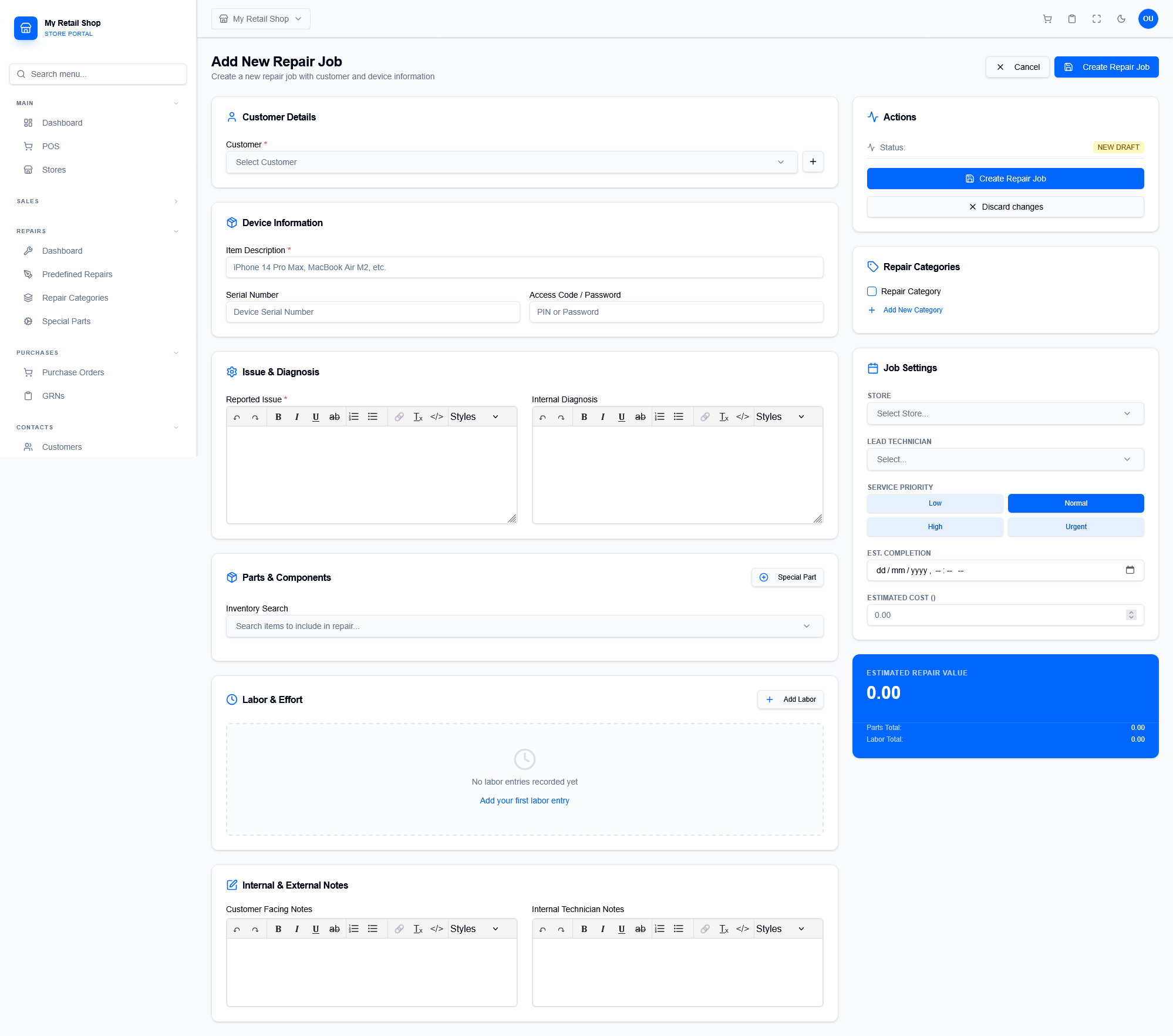
Figure 1 — The multi-section repair intake form with diagnostic and cost tracking.
¶ Device Information
Record the Item Description (e.g., iPhone 15 Pro), Serial Number, and any Access Codes needed for testing. This is critical for post-repair quality assurance.
¶ Issue & Diagnosis
Differentiate between the Reported Issue (what the customer says) and the Internal Diagnosis (what the technician finds). Both are tracked in rich text for clarity.
¶ 2. Parts, Labor & Estimations
Use the specialized components to build an accurate quote for the customer. The system calculates the Estimated Repair Value in real-time.
- Parts & Components: Search your live inventory for parts or use the "Special Part" button for items that need to be ordered specifically for this job.
- Labor & Effort: Log technician time and service fees. This builds the Labor Total shown on the final invoice.
- Job Settings: Assign a Lead Technician, set the Service Priority (Normal to Urgent), and define an Est. Completion date.
¶ 3. Communication & Visibility
Control what information is shared with the customer versus what stays internal to the technical team:
| Note Type | Visibility |
|---|---|
| Customer Facing Notes | Printed on the intake slip and final invoice. Used for terms and pickup instructions. |
| Internal Technician Notes | Private to the staff. Used for technical steps, internal observations, or part locations. |