Easy Retail Flow › Repairs › Dashboard
¶ Repair Dashboard
Monitor repair job statuses, track technician assignments, and manage service priorities in real-time.
¶ 1. Operational Overview
The Repair Dashboard provides a high-level visual summary of your service center's workload. Use the KPI cards at the top to quickly identify bottlenecks or pending parts orders.
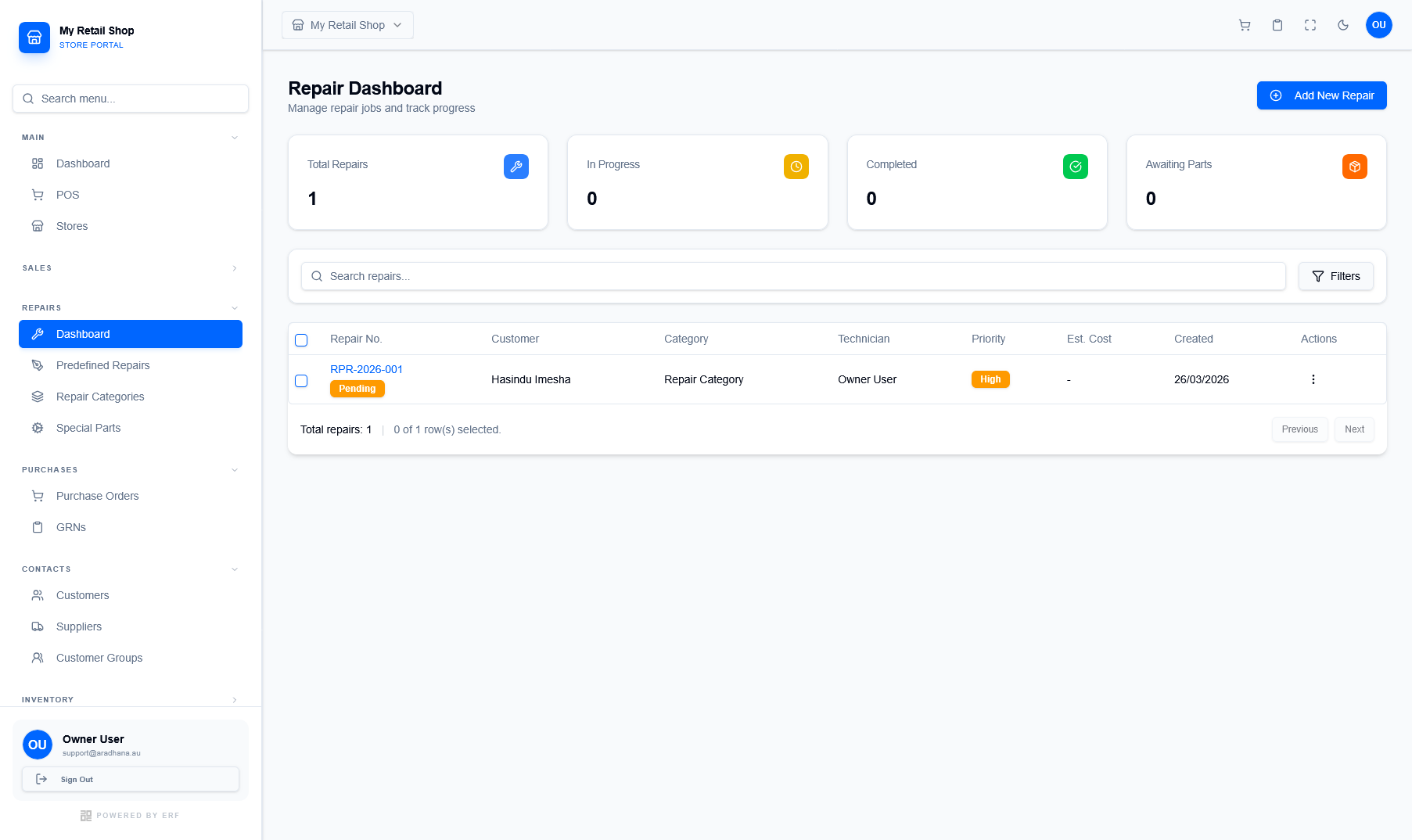
Figure 1 — The Repair Dashboard featuring status cards and the job management directory.
¶ Status Tracking
Track jobs across four critical states: Total Repairs, In Progress, Completed, and Awaiting Parts. Each card provides a live count of active tickets.
¶ Priority Management
Identify urgent jobs via the Priority badge (e.g., High, Medium, Low). This helps technicians focus on time-sensitive repairs for premium customers.
¶ 2. Repair Jobs Directory
The main directory displays all historical and current repair tickets. Each row contains vital information for service coordination:
- Repair No: A unique tracking ID (e.g., RPR-2026-001) linked to the customer's service history.
- Technician: The staff member assigned to the job. Useful for tracking individual performance and workload.
- Est. Cost: The projected repair fee provided to the customer during intake.
- Actions: Update status, add parts, or finalize the invoice once the repair is complete.