Easy Retail Flow › Repairs › Categories
¶ Repair Categories
Organize your repair services into logical groupings for better reporting and easier navigation during job creation.
¶ 1. Categories Directory
The Repair Categories page lists all service departments or device types you support. Categories help technicians find relevant templates faster and allow management to see which repair types are most profitable.
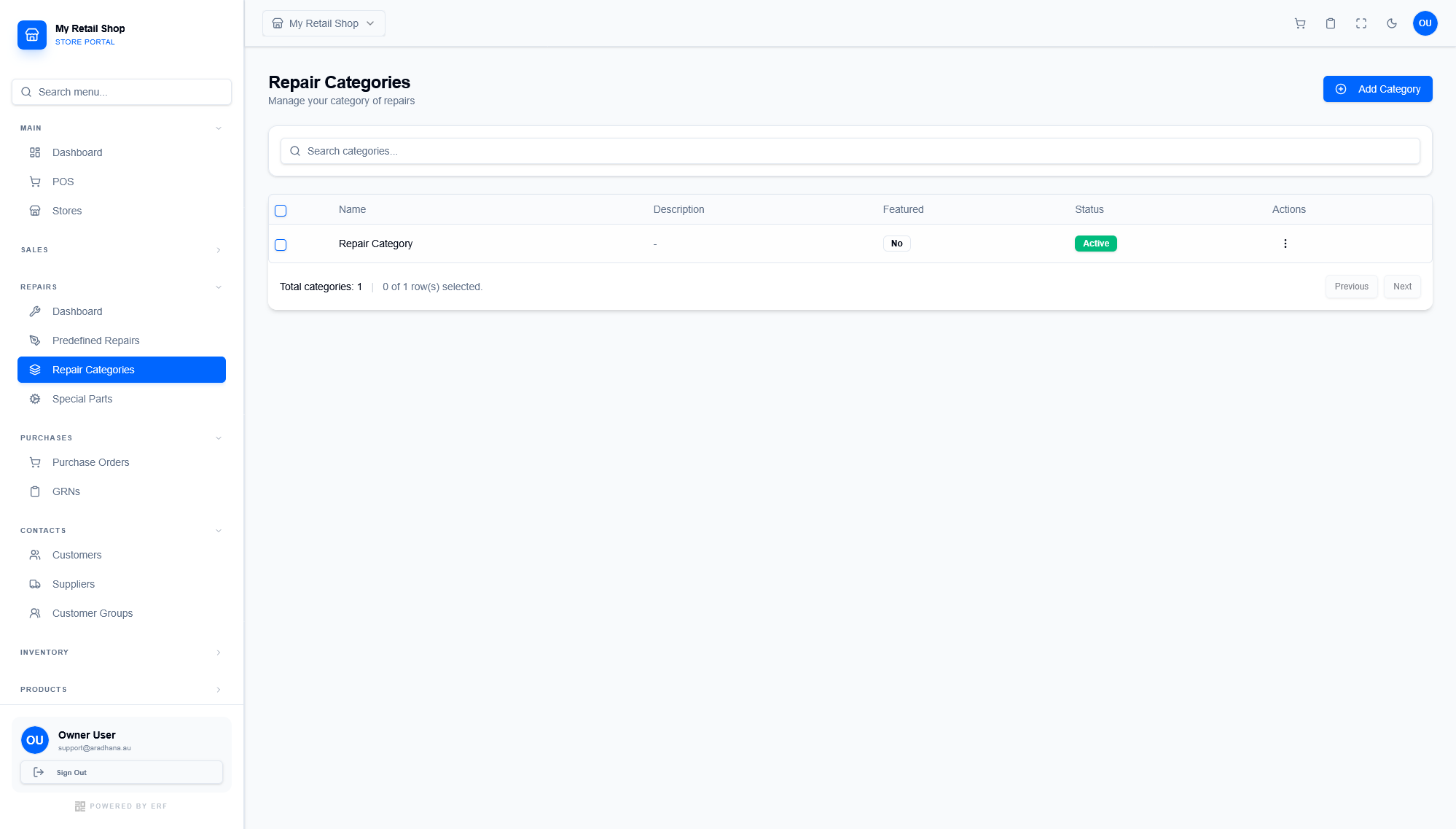
Figure 1 — The directory of all repair service categories and their operational status.
¶ 1.1 Key Attributes
- Featured: If enabled, this category will appear prominently in the service selection menus or customer-facing portals.
- Parent Category: Supports hierarchical organization (e.g., "Screen Repair" as a child of "iPhone").
- Category Image: A visual icon or photo used to identify the category in touch-screen POS environments.
¶ 2. Adding a Category
Click the Add Category button to define a new service group. Ensure the name is clear to both technicians and customers.
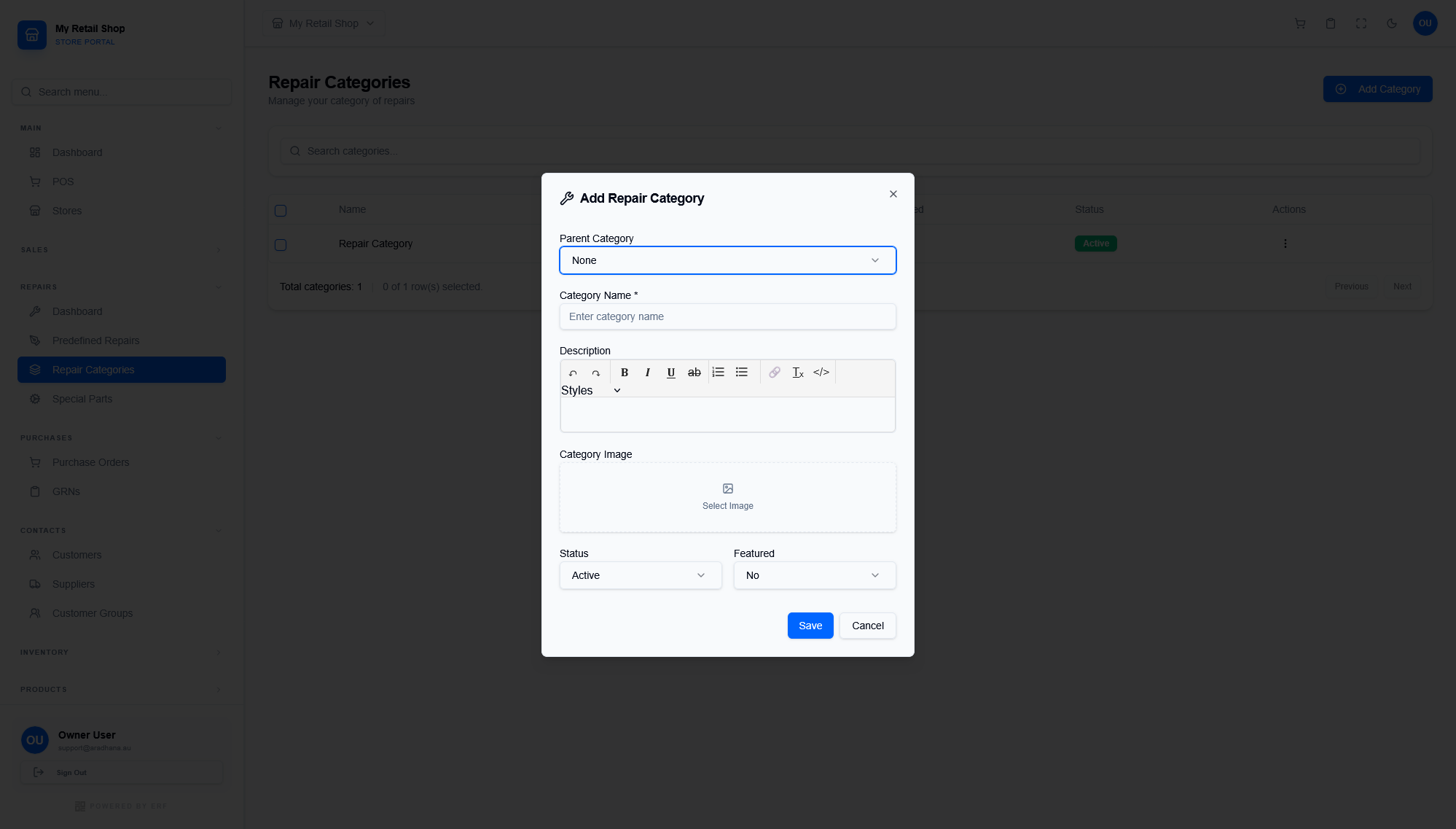
Figure 2 — The configuration modal for new repair categories.
| Field | Description |
|---|---|
| Category Name * | The primary label for the service (e.g., Mobile Phones, Laptops). |
| Parent Category | Select 'None' for top-level categories or pick a parent for sub-categorization. |
| Description | Optional rich text area to describe the types of repairs handled in this group. |
Pro Tip: Use high-quality icons in the Category Image field to make the touch-screen interface easier to navigate for front-desk staff.
© 2026 Easy Retail Flow