Easy Retail Flow › Sales › Payments
¶ Payments Directory
Review, track, and manage all incoming financial transactions and their associated invoices.
¶ 1. Transaction Management
The Payments ledger is the central hub for your accounting team. It aggregates all POS sales, invoice settlements, and deposit payments into a single searchable directory.
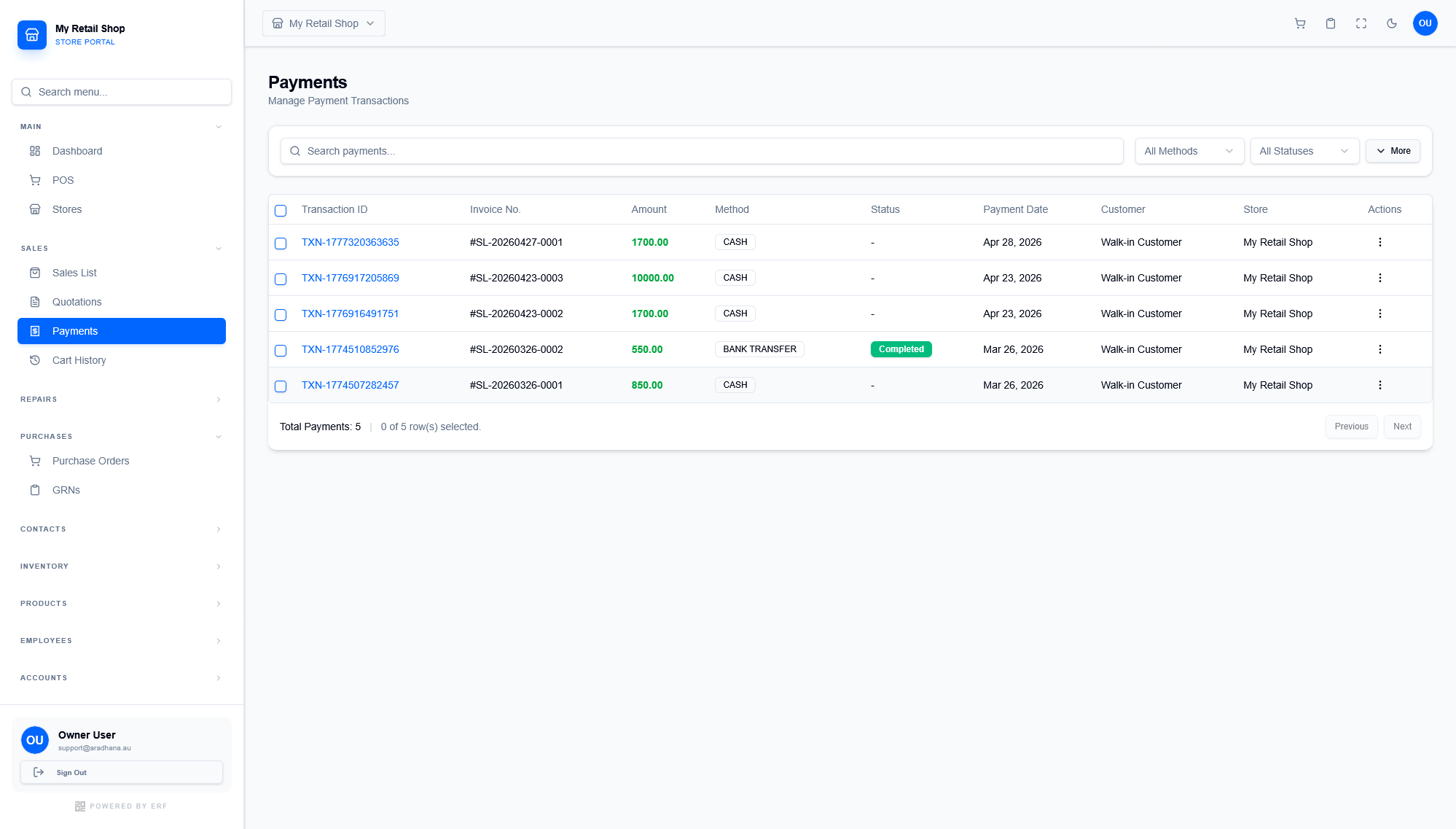
Figure 1 — The Payments directory showing transaction IDs, payment methods, and invoice links.
¶ 1.1 Auditing Transactions
Every entry in the table provides a complete audit trail for a single financial event:
- Transaction ID & Invoice No: Clickable links that allow you to jump directly to the original sale or the detailed payment receipt.
- Method Tracking: Quickly distinguish between CASH, BANK TRANSFER, or CARD payments for accurate end-of-day reconciliation.
- Status Indicators: Look for the green Completed badge for finalized bank transfers, or blank statuses for immediate cash settlements.
¶ 2. Search & Filtering
Use the top control bar to narrow down the ledger when hunting for specific discrepancies:
| Filter Type | Usage Example |
|---|---|
| Global Search | Paste a specific Transaction ID (e.g., TXN-1777...) to find a customer's missing payment. |
| Method Filter | Select "Cash" to count the physical drawer against the system total at closing. |
| Status Filter | Filter for "Pending" to follow up on un-cleared bank transfers. |
Pro Tip: Click the three dots under the Actions column to reprint a specific payment receipt without having to load the entire original invoice.
© 2026 Easy Retail Flow