Easy Retail Flow › Sales › Sales List
¶ Sales List Overview
A guide to managing and tracking all retail transactions via the central Sales List.
¶ 1. Accessing and Navigating the Sales List
The Sales List is your central hub for monitoring business performance, reviewing previous transactions, and initiating new sales. To access this view, select Sales › Sales List from the main sidebar.
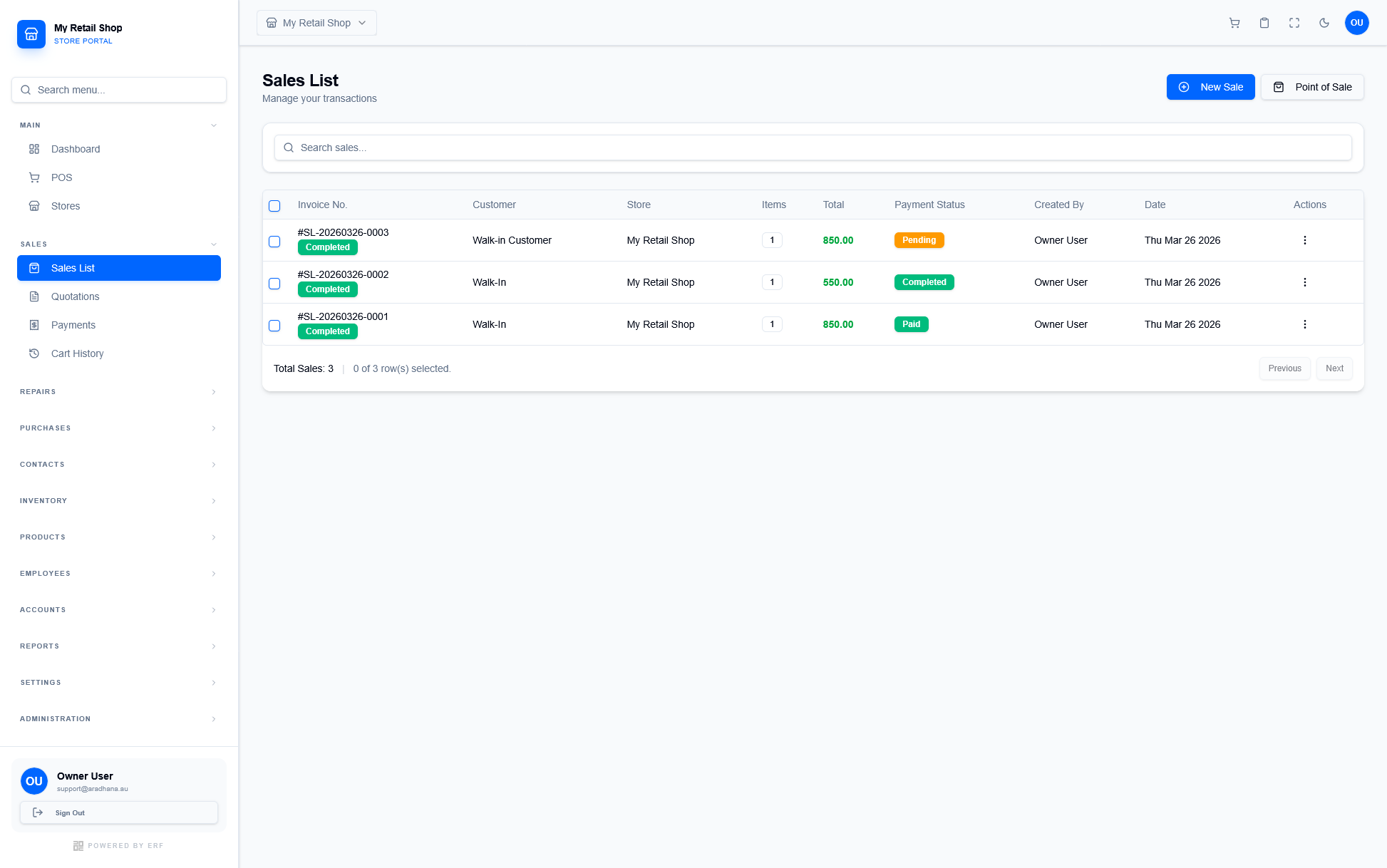
Figure 1 — The Sales List dashboard.
The Sales List table provides a comprehensive overview of your transactions at a glance:
| Column | Information Provided |
|---|---|
| Invoice No. | The unique transaction identifier (e.g., #SL-20260326-0001). Displays a "Completed" badge for finalized sales. |
| Customer | The name of the customer associated with the sale (e.g., Walk-In Customer). |
| Total | The final transaction amount, highlighted for visibility. |
| Payment Status | Color-coded badges (e.g., Pending, Paid) for quick financial tracking. |
| Actions | Click the menu icon () to view, edit, or refund specific invoices. |
Pro-Tip: Use the search bar at the top of the table to quickly locate specific sales by invoice number, customer name, or date.
© 2026 Easy Retail Flow