Easy Retail Flow › Sales › Quotations
¶ Quotations Guide
A comprehensive guide to managing customer quotes and converting them into finalized sales.
¶ 1. Quotations List Overview
The Quotations view allows you to track pricing provided to customers before a transaction is finalized. Access this by selecting Sales › Quotations from the sidebar.
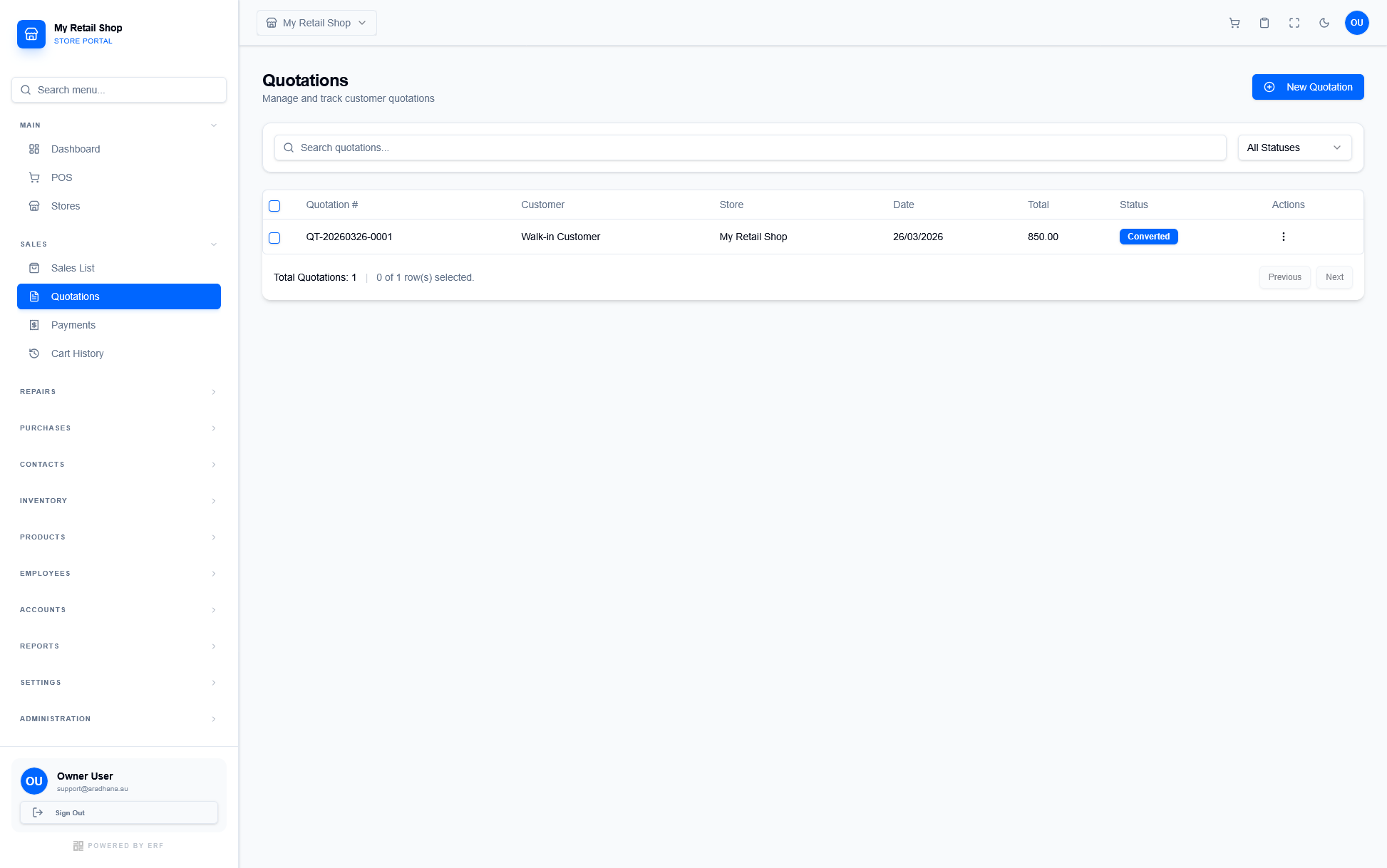
Figure 1 — The main Quotations repository.
| Column | Information Provided |
|---|---|
| Quotation # | Unique identifier for the quote (e.g., QT-20260326-0001). |
| Status | Indicates if the quote is a Draft, Sent, or has been Converted into a sale. |
| Total | The estimated transaction amount shared with the customer. |
¶ 2. Creating a New Quotation
To generate a new quote, click the blue + New Quotation button. This opens a detailed workflow for building your customer's estimate.
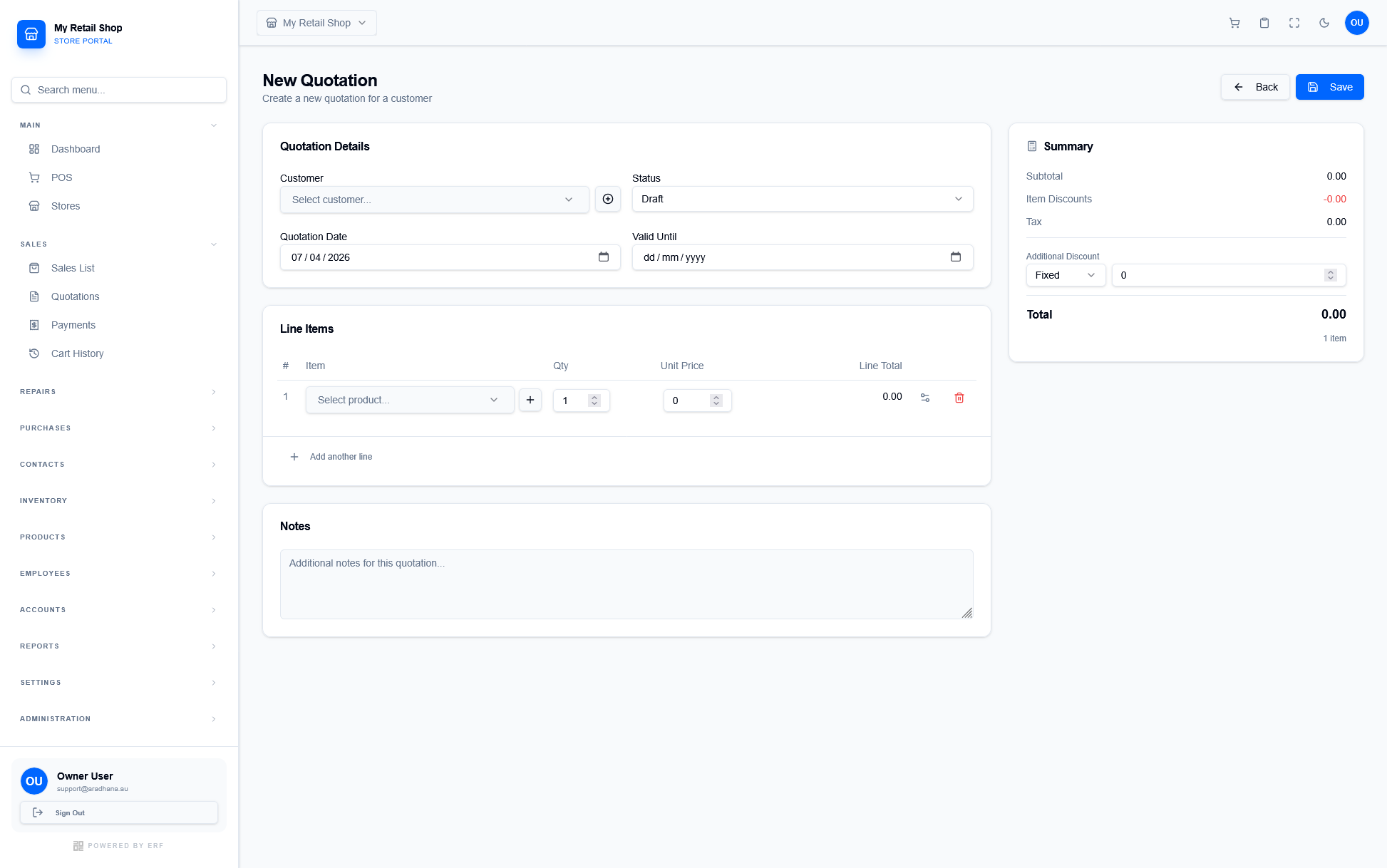
Figure 2 — The New Quotation configuration screen.
¶ 2.1 Quotation Details & Summary
Use the following sections to configure the quote parameters:
- Customer & Status: Assign the quotation to a customer and track its progress (e.g., set to Draft while in negotiation).
- Validity: Set a Quotation Date and a Valid Until date to ensure pricing remains accurate for the customer.
- Line Items: Click + Add another line to build out the itemized list, including quantity and unit pricing for each product.
- Financial Summary: Review the Subtotal, Tax, and Additional Discount in the sidebar to finalize the total amount before saving.
¶ 3. Managing Quotations
Once a quotation is created, you can manage it using the Actions menu on the right-hand side of each row. This allows you to process the quote through its entire lifecycle.
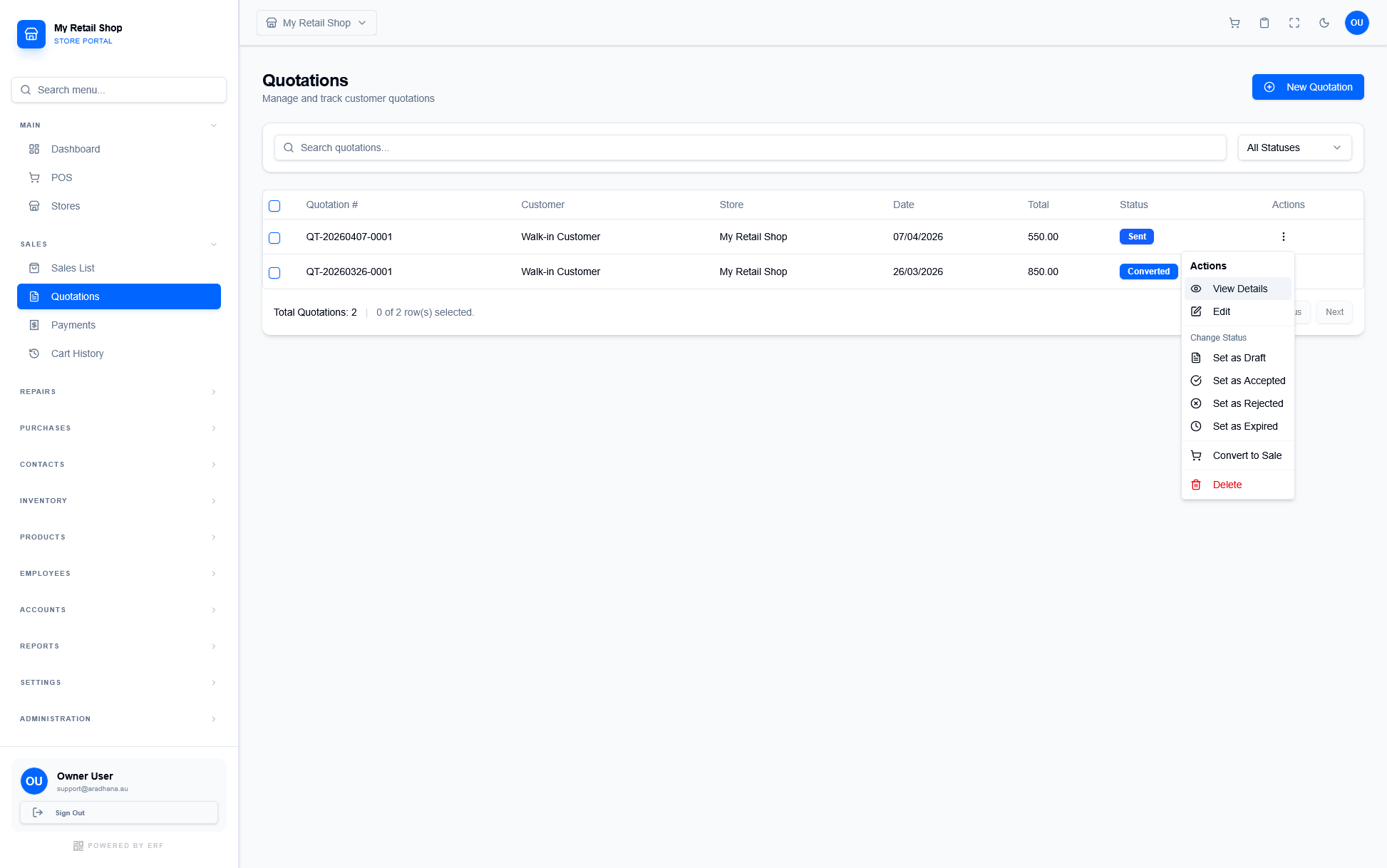
Figure 3 — Management options for customer quotes.
| Action | Description |
|---|---|
| View Details / Edit | Review the full quote or modify line items/pricing for the customer based on negotiations. |
| Change Status | Update the quote state to Accepted, Rejected, or Expired depending on customer feedback. |
| Convert to Sale | Workflow Optimization: This button automatically transitions the quotation into a finalized Sale, copying all item and customer data instantly. |
| Delete | Remove the quotation from your records. This action cannot be undone. |