Easy Retail Flow › Settings › Templates
¶ Document Templates
Configure and customize the physical and digital outputs of your system, including invoices, labels, and emails.
¶ 1. Template Hub Overview
The Templates dashboard categorizes every printable and mailable asset generated by Easy Retail Flow. From basic sales receipts to complex repair job notes, you maintain full control over your brand's presentation.
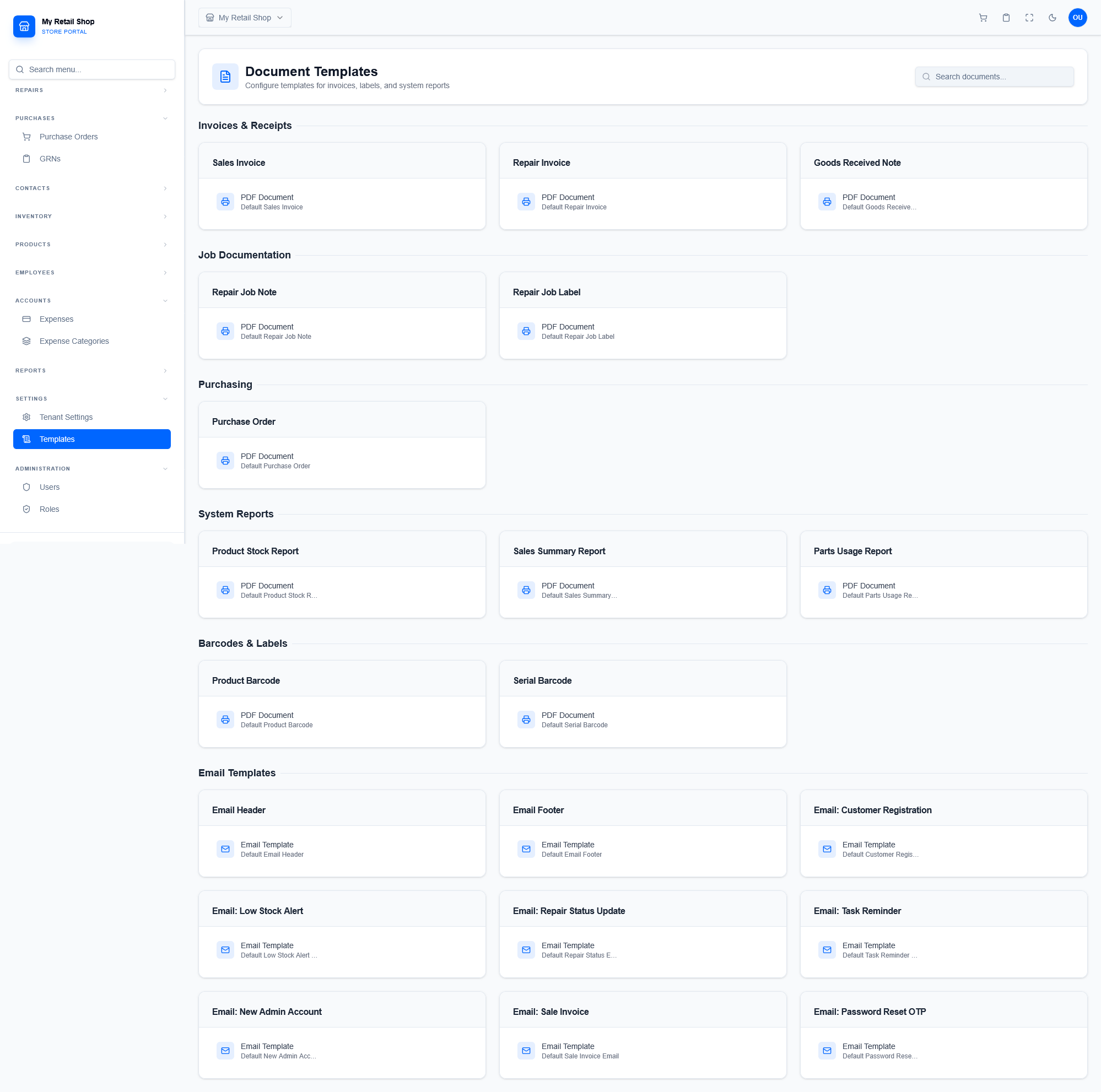
Figure 1 — The centralized hub for managing all system output templates.
¶ 2. The Template Editor Interface
Clicking on any template (e.g., Sales Invoice) opens the advanced editor. While system defaults are read-only, you can click Create Custom Copy to unlock full HTML and CSS editing capabilities.
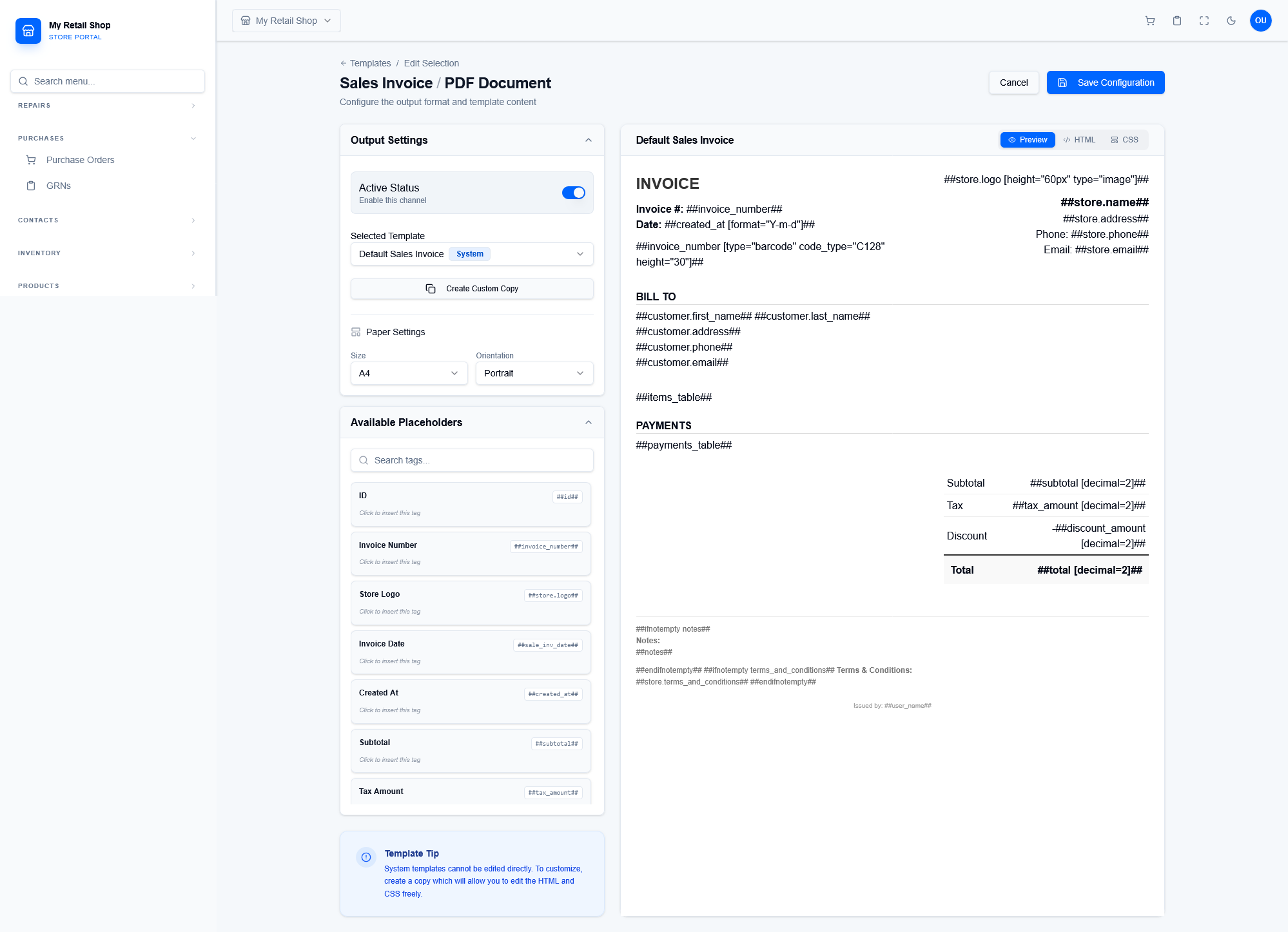
Figure 2 — The live code editor featuring HTML/CSS toggles and paper size configuration.
¶ Output & Paper Settings
Define the physical constraints of the document. Set the Size (e.g., A4, Letter, Thermal 80mm) and Orientation (Portrait/Landscape) to ensure the PDF renders correctly on your specific printers.
¶ Live Preview
Toggle between the raw code view and the visual Preview mode to immediately verify formatting changes before deploying the template to your staff.
¶ 3. Dynamic Placeholders
Placeholders act as variables that are replaced with real data when the document is generated. Each template type has a specific set of available placeholders listed in the left sidebar.
| Context Examples | Common Placeholders |
|---|---|
| Sales Invoices | ##invoice_number##, ##subtotal##, ##tax_amount##, ##store_logo## |
| Repair Invoices | ##repair_number##, ##customer_first_name##, ##customer_phone## |
| Goods Received Notes | ##reference##, ##received_date##, ##received_by## |